In this blog post, I want to summarize the new releases from the Google tools that we use daily in datadice. Therefore, I want to give an overview of the new features of BigQuery, Dataform, Looker Studio, Google Analytics, and Google Tag Manager. Furthermore, I will focus on the releases that I consider to be the most important ones, and I will also name some other changes that were made.
If you want to take a closer look, here you can find the Release Notes from BigQuery, Dataform, Looker Studio, Google Analytics & Google Tag Manager.
BigQuery
Data Science Agent
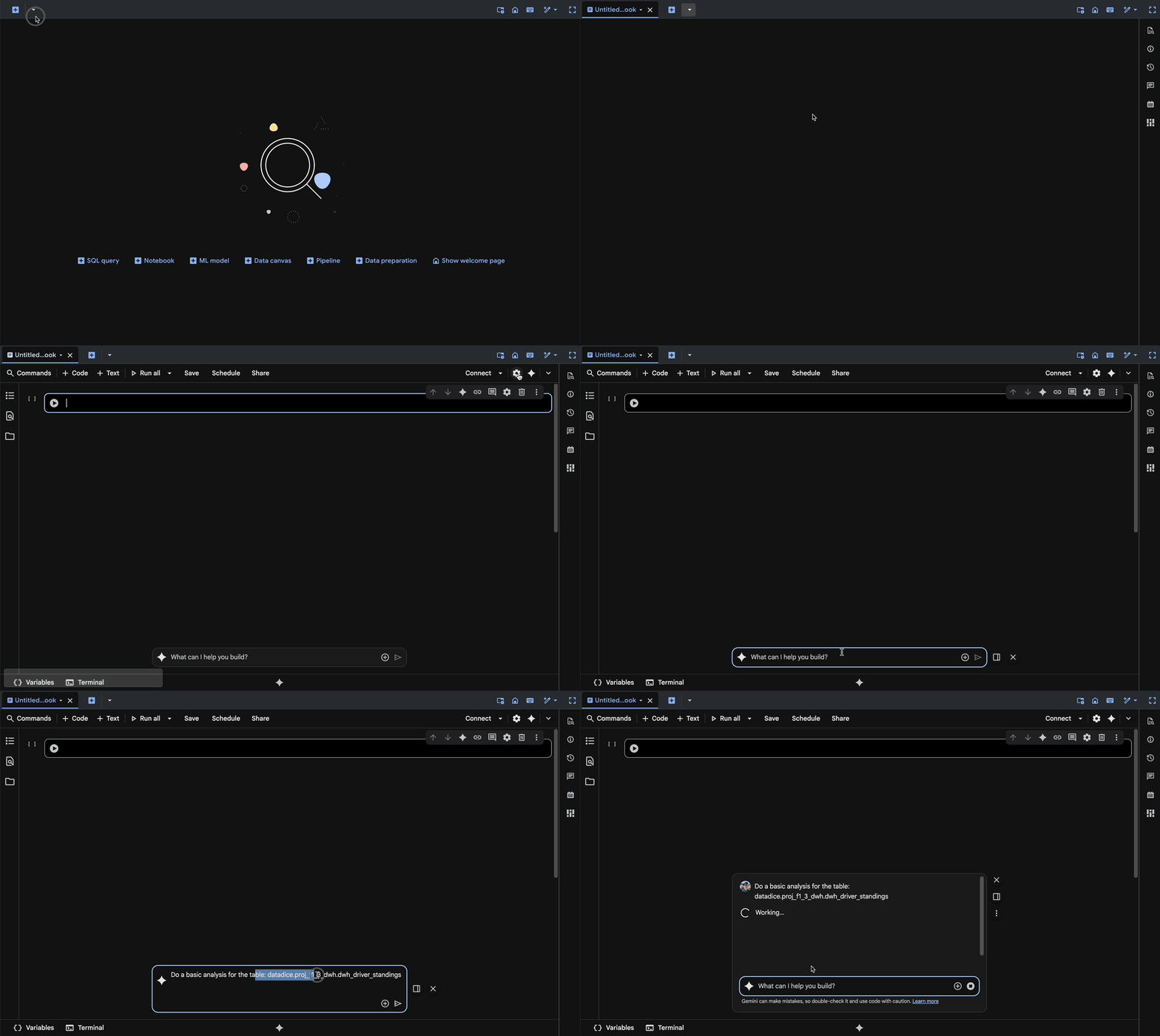
Google is adding more and more ways to interact with your data by using AI. With the new Data Science Agent, you can write certain Gemini prompts against your data, and the AI will create the corresponding analysis in a Notebook.
How to start the Agent:
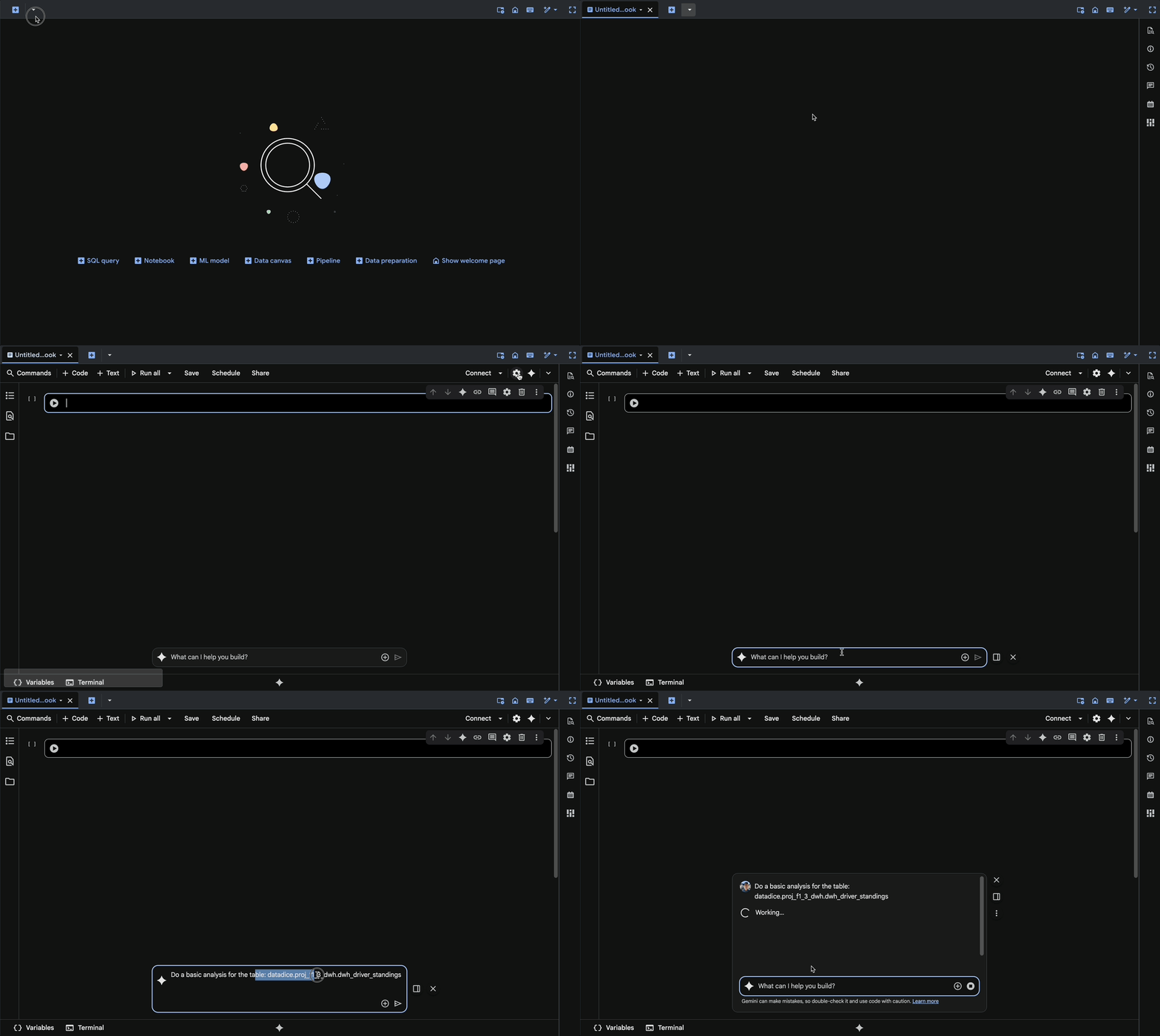
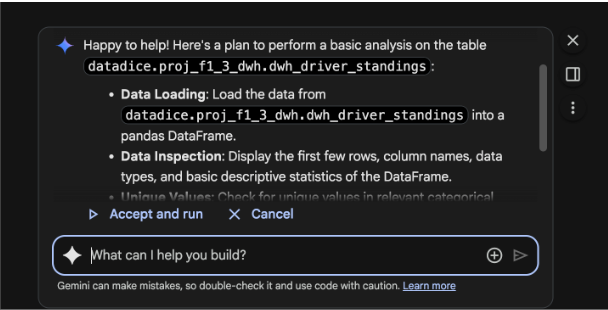
Gemini creates a list of todos it would handle, and if you accept them, it will start with the analysis:
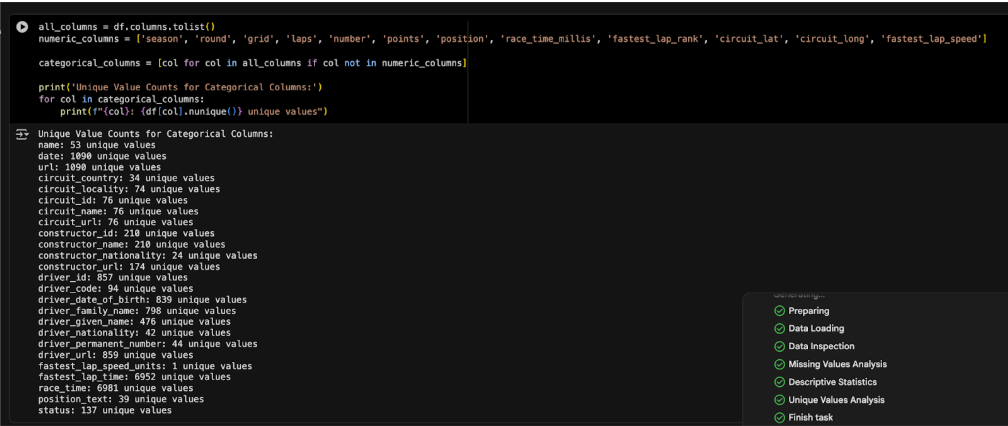
Every time it creates a request for the data, you need to accept it:
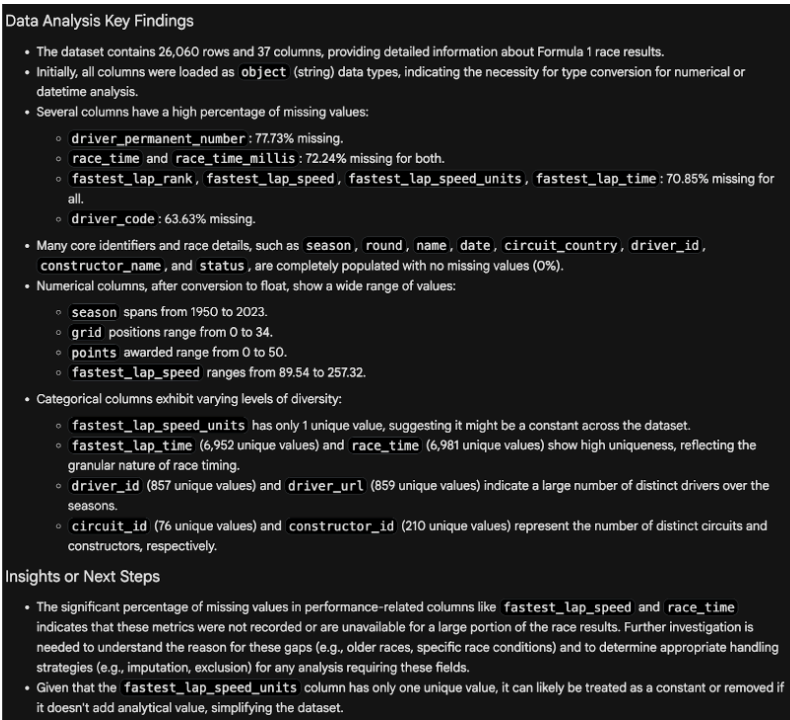
And at the end, it creates a summary with the insights:
Chained function call
A feature to make your queries more readable, but it is just an optional way of coding. You can chain multiple functions together, where the order is important and the single parts are separated by a dot.
Example:
SELECT
  (' Mercury Saturn Earth Mars ')
  .REPLACE('Saturn', 'Venus')
  .CONCAT('Jupiter')
  .TRIM()
  .CONCAT (' Saturn')
→ "Mercury Venus Earth Mars Jupiter Saturn"
There are some limitations or requirements for chained functions you can find here.
Temporary variables
With this new feature, you can set up variables just for one column calculation. It is called WITH expressions. The WITH clause to create temporary tables is a different thing and should not be mixed up.
The created variable(s) in the WITH expression are just available in this expression/column.
Example:
SELECT WITH(x AS 'mercury ',
            y AS CONCAT(x, 'earth '),
            z AS REPLACE(y, 'earth ', 'venus '),
            CONCAT(x, z)) AS result,
→ "mercury mercury venus"
You can define a variable to use it multiple times in the calculation of the value.
The following example leads to an error, because the variable is not available for the column "result_2":
SELECT WITH(x AS 'mercury ',
            y AS CONCAT(x, 'earth '),
            z AS REPLACE(y, 'earth ', 'venus '),
            CONCAT(x, z)) AS result,
            y AS result_2
→ Unrecognized name: y
Show data in a map
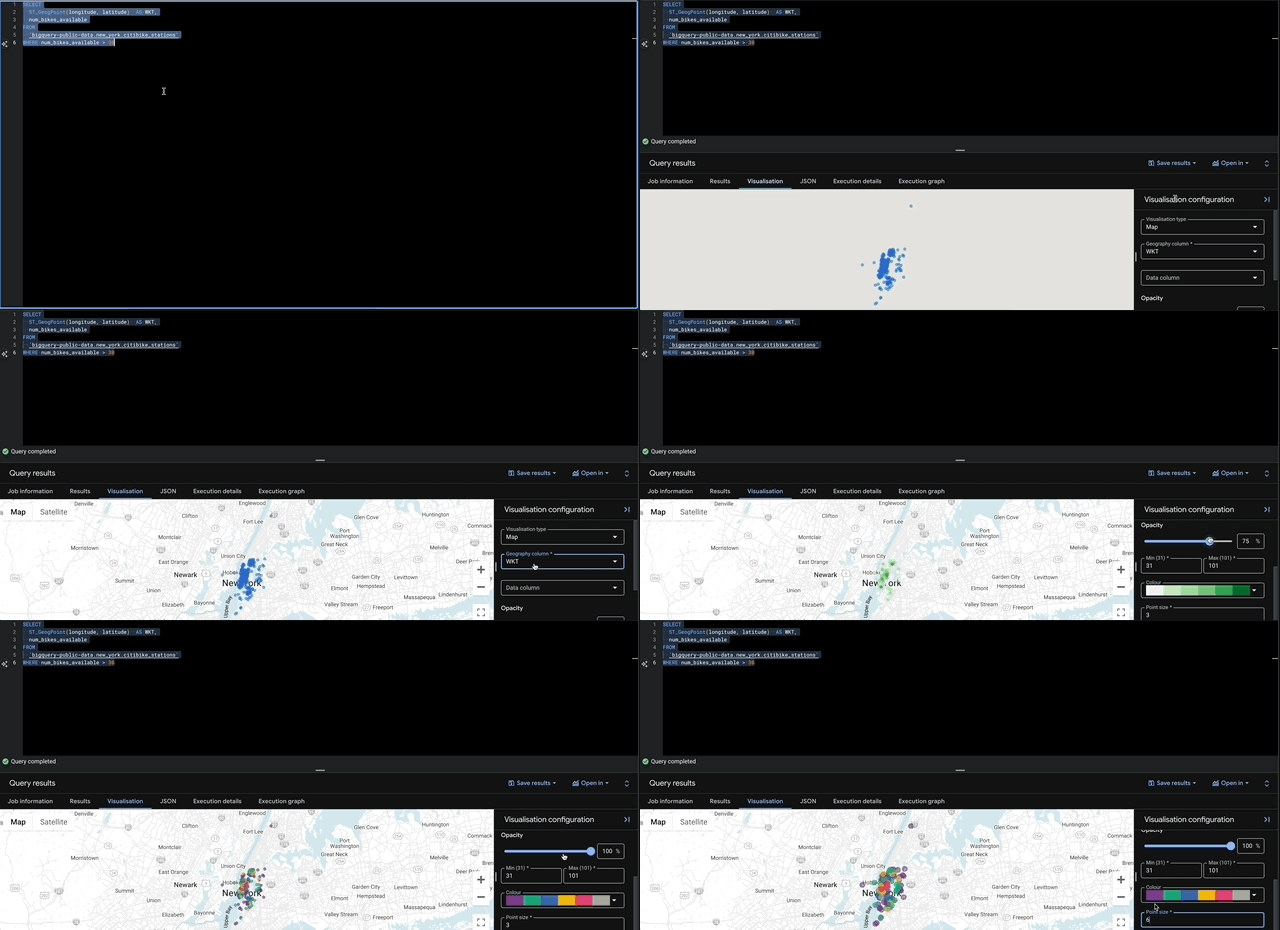
BigQuery already has some visualization possibilities to get more insights into your query results. Next to Line, Bar, and Scatter, there is a map visualization available now.
Geographical data can be shown on a map now. Additionally, some basic setups for the map can be made:
- Color Schema
- Opacity
- Choose a data column
- Point size
Example:
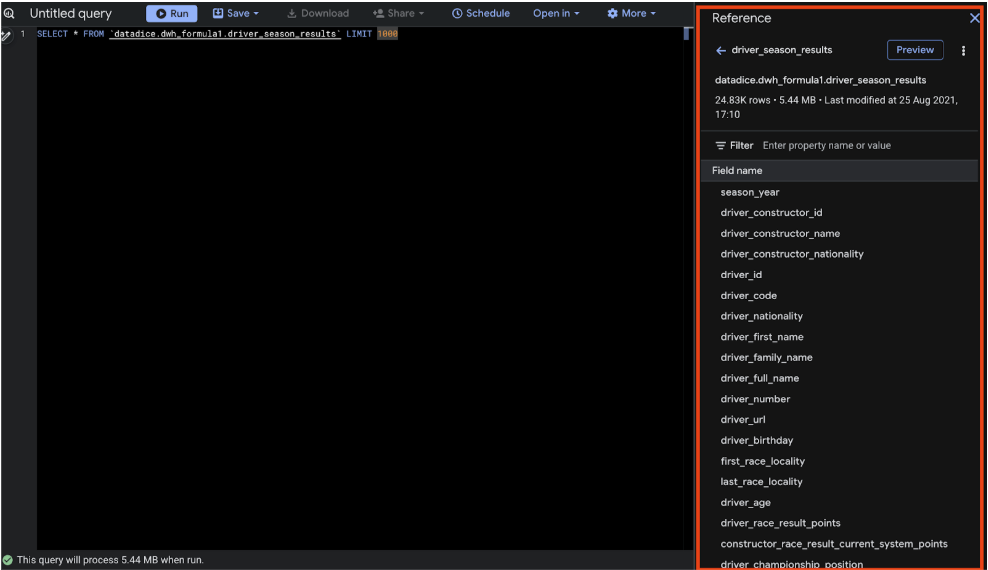
New Reference panel
It's a new small panel on the right side of the SQL Editor. The panel shows up when you click on "Query" on a table.
With the Reference menu, you can insert a new query snippet. It adds the SQL Query "SELECT FROM project_name.dataset_name.table_name LIMIT 1000". By clicking on the columns, you add the fields to the SQL Editor.
Furthermore, you can click on Preview, and a new overlay appears where you can scroll through the data.
Small Changes
BigQuery got a lot of new features in August, so I want to mention some further updates:
- The advanced runtime feature includes the short query optimization feature now
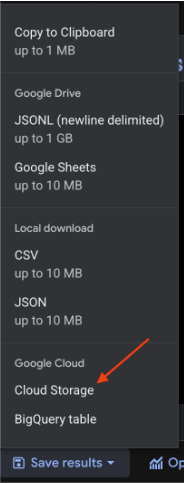
- Query results can be saved to Google Cloud Storage as JSON, Avro, or Parquet
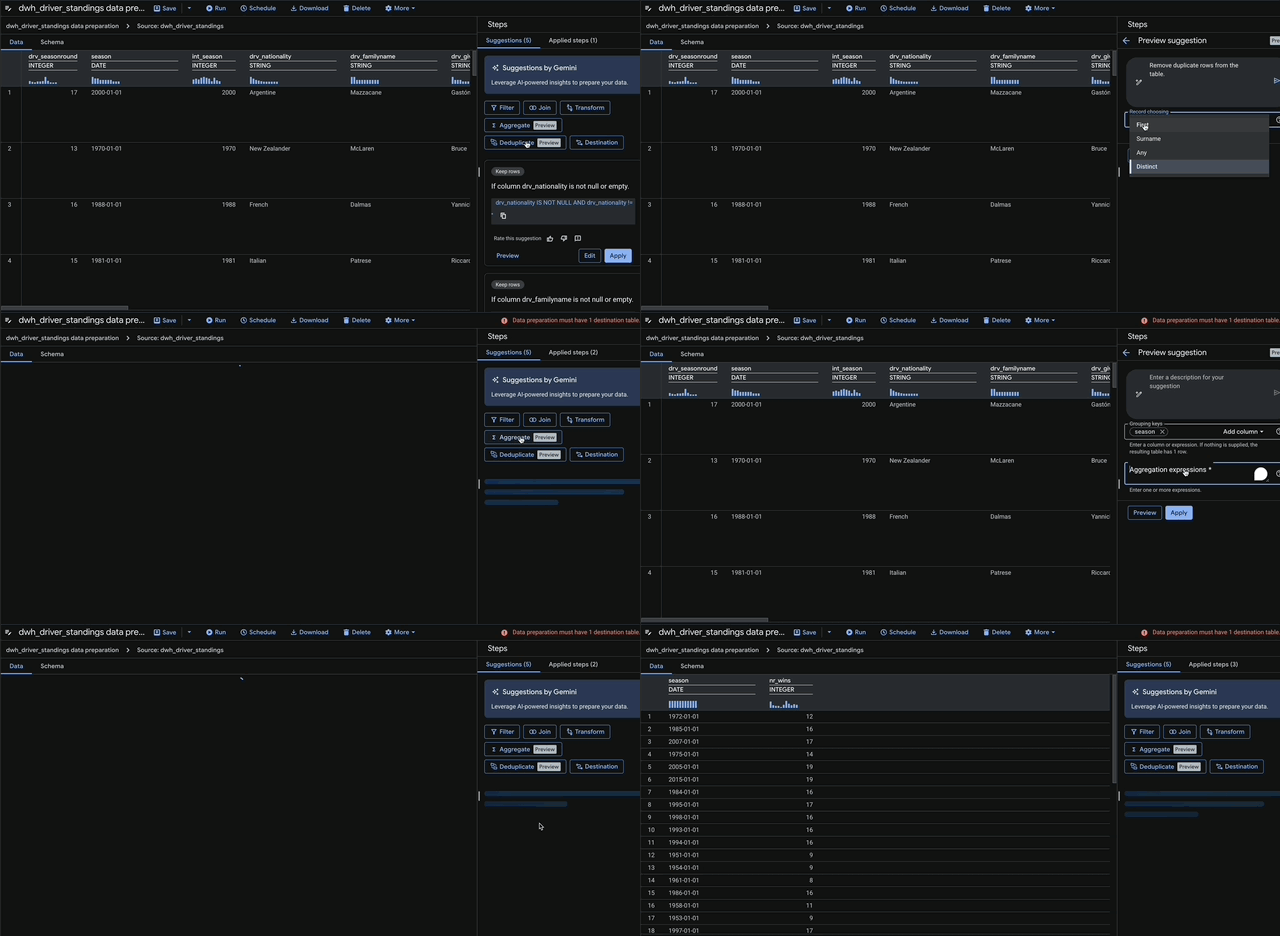
- The data preparation with Gemini support got the "data deduplication" and "data aggregation" features
Dataform
No further release for Dataform.
Looker Studio
Colouring of embedded query results in text
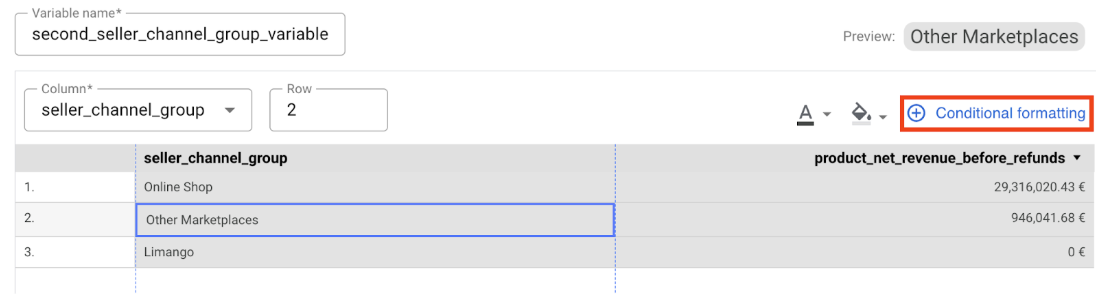
You can enhance your insights in the dashboards by displaying specific query results within text. With the update, conditional formatting for these query results is active now, so they can have a coloured background or font.
The conditional formatting menu works the same as the one for tables.
You need to add the text variable by clicking on it in the text.
Then you can click on "Conditional Formatting"

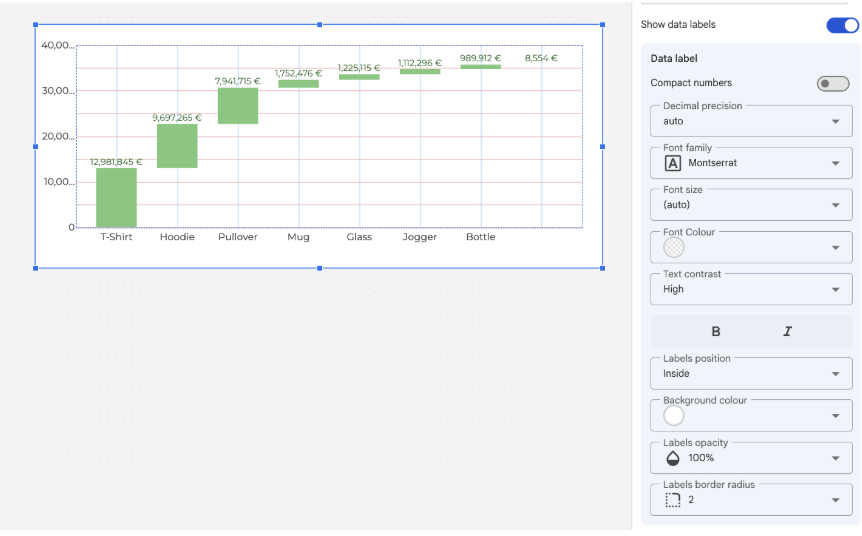
Data labels for waterfall charts
In waterfall charts, you can customize the labels a bit more now.
You can set up the label position, inside and outside (which did not change anything in my example, probably it depends on different bar relations), and some contrast settings.
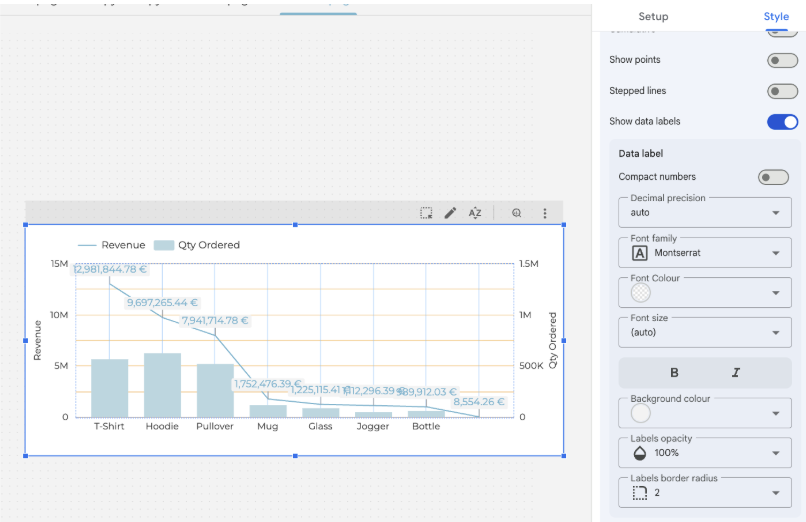
Setting up a data label background color
A lot of small new features for Looker Studio.
For data labels in your charts, you can add a background colour to them, so that the data labels are more visible. In the style tab, you can add a data label to every shown metric.
Responsive reports: Vertical stacking
Multiple parts can be stacked on each other now in responsive reports.
With this section, I want to remind you that the responsive version of Looker Studio is available. These reports reorganize the arrangement of the dashboard elements based on the screen size. In our Blog Post with the March updates, we describe the feature in more detail.
Google Analytics
Ecommerce data availability
Just a small update. Some Item-scoped Ecommerce dimensions are available in more reports now.
- In Reporting sections as a secondary dimension, in filters, comparisons, and customizations
- Ecommerce metrics are available in Reporting customizations
- Additionally, all match types can be used with these ecommerce dimensions in e.g. reporting filters and comparisons.
Google Tag Manager
New JavaScript APIs
There are multiple API endpoints available to build your own tag, client or variable templates in the server GTM.
The new readAnalyticsStorage API gives you the ability to access the current client_id and session_id from the user. Before, attempts were made to get these values from the cookies and through some kind of reverse engineering. This approach was not really stable because Google can change these cookies quite regularly.
This new API now offers solid access to this user data. With the following code, you can get the client_id from the user:
const readAnalyticsStorage = require('readAnalyticsStorage');
const analyticsStorageData = readAnalyticsStorage();

console.log(analyticsStorageData.client_id);
Further Links
This post is part of the Google Data Analytics series from datadice and explains to you every month the newest features in BigQuery, Data Studio, Google Analytics, and Google Tag Manager.
Check out our LinkedIn account to get insights into our daily working life and get important updates about BigQuery, Looker Studio, and marketing analytics.
We also started with our own YouTube channel. We talk about important DWH, BigQuery, Looker Studio, and many more topics. Check out the channel here.
If you want to learn more about how to use Google Data Studio and take it to the next level in combination with BigQuery, check our Udemy course here.
If you are looking for help to set up a modern and cost-efficient data warehouse or analytical dashboards, send us an email to hello@datadice.io, and we will schedule a call.