Latest Updates on Google Data Analytics (September 2025)
The highlights of the updates on BigQuery, Looker Studio, Google Analytics (GA) & Google Tag Manager (GTM). By Alexander Junke
In this blog post, I want to summarize the new releases from the Google tools that we use daily in datadice. Therefore, I want to give an overview of the new features of BigQuery, Dataform, Looker Studio, Google Analytics, and Google Tag Manager. Furthermore, I will focus on the releases that I consider to be the most important ones, and I will also name some other changes that were made.
If you want to take a closer look, here you can find the Release Notes from BigQuery, Dataform, Looker Studio, Google Analytics & Google Tag Manager.
BigQuery
Data preparation changes
Google is placing a strong emphasis on BigQuery's data preparation capabilities, aiming to decrease the reliance on SQL models and make data analysis more accessible to a wider audience.
Now you can do the following with data preparation:
- Loading files from Cloud Storage into data preparation
- Unnesting arrays (Putting each array element into a single row)
- Flattening records
Data Science Agent changes
The Data Science Agent is the other new and prominent tool in BigQuery that has a lot of new features. The Data Science Agent itself I explained in my former blog post. The Agent got some improvements in the last days:
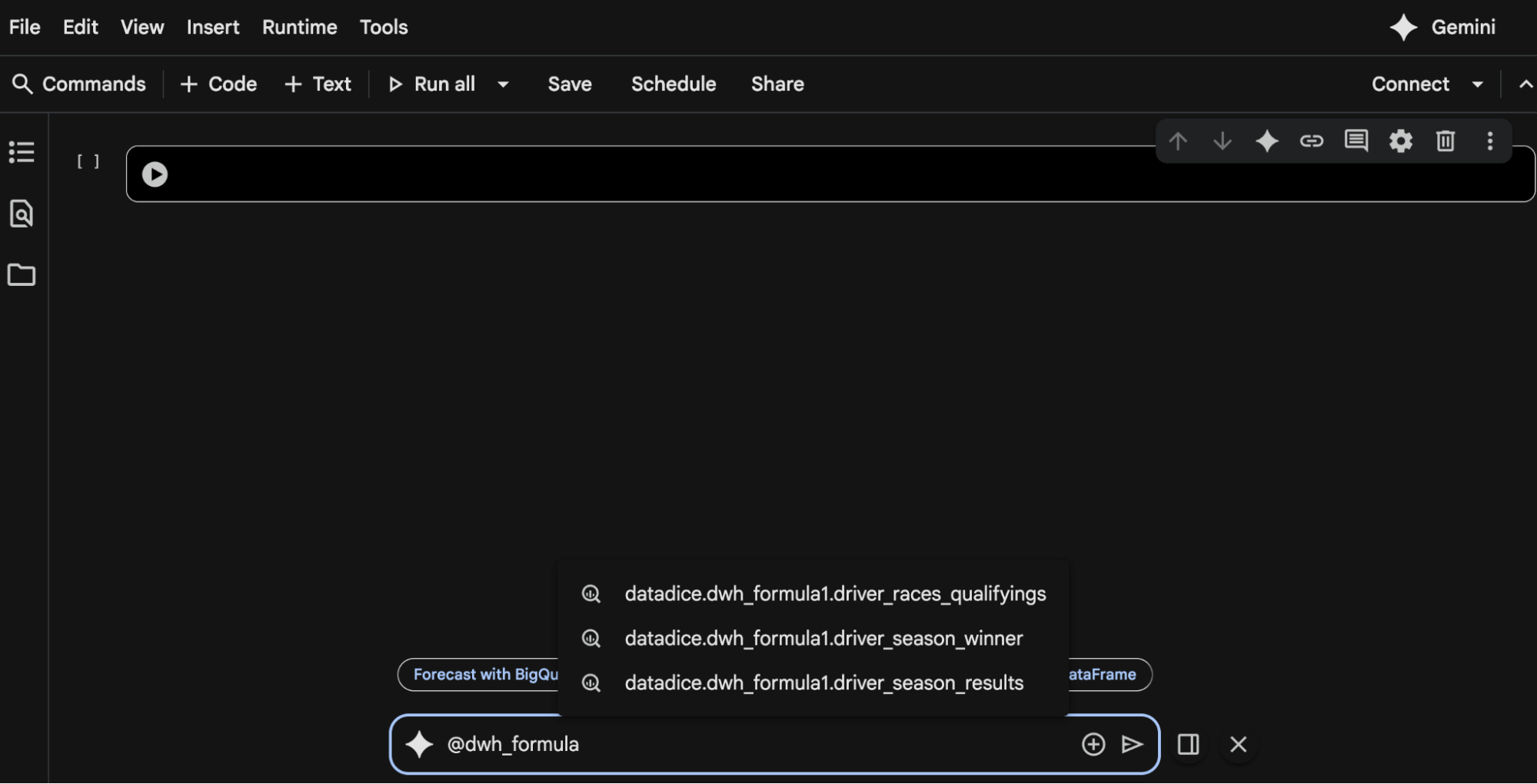
- Using BigQuery ML and DataFrames in your prompts
- Adding a BigQuery table with an @ or a file with a + to your prompt
- Using Apache Spark or PySpark keywords in your prompt
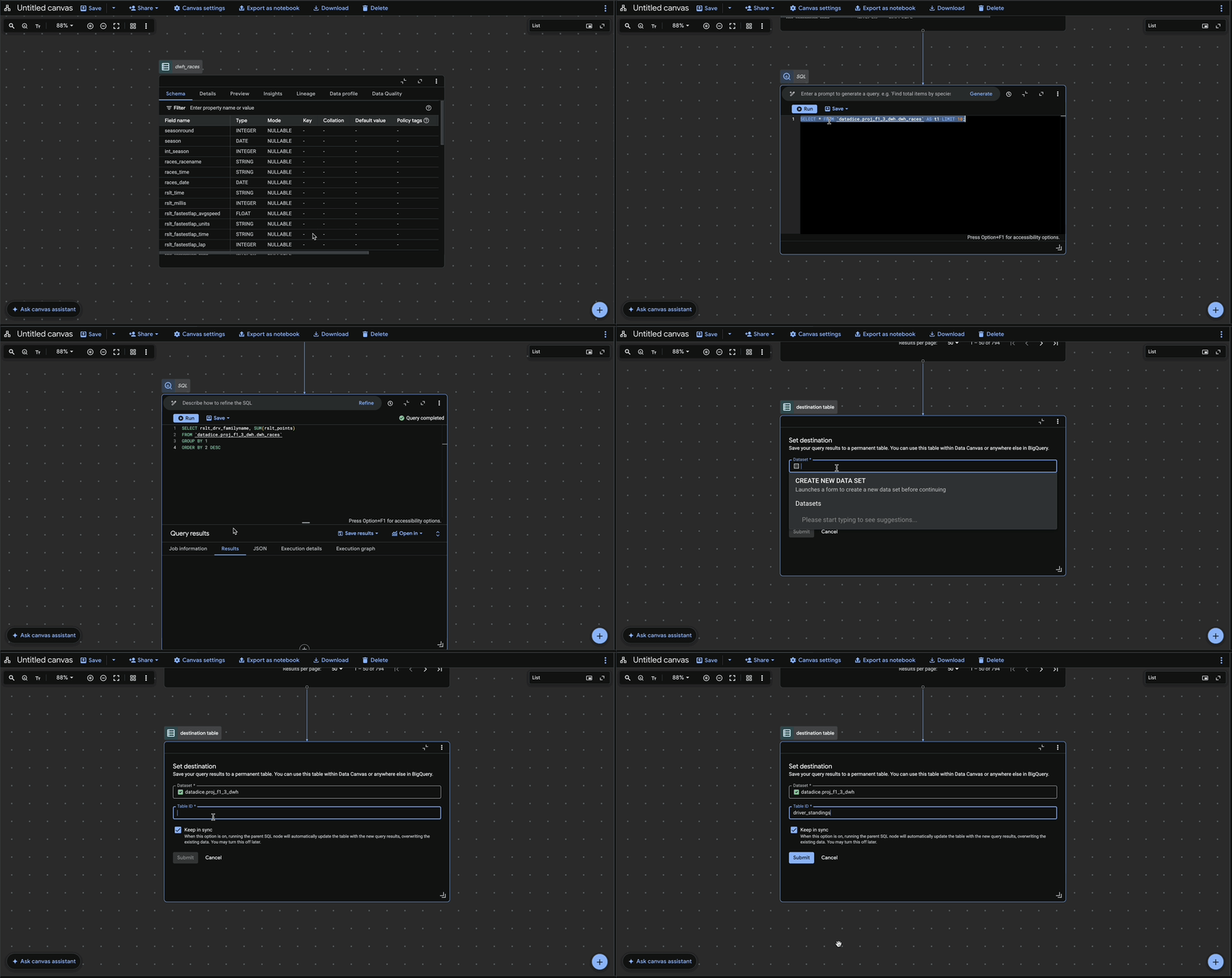
Destination table node in Data canvas
The data canvas in BigQuery can be used to build chains of data models. You can include joins, custom queries, and many more.
Now there is the possibility to add a data destination node, which you can use after a query node. After setting up the destination dataset and table, you can select "Keep in Sync". When it is active, the former query node overrides the destination table automatically.
Options like Table Partitioning or Clustering can not be set up.
Gemini CLI extension
For a long time, a Gemini CLI has been available for your device to use the AI capabilities. The CLI got an extension to connect to your GCP Project and ask Gemini about your tables and data. There is a Data Analytics Extension and a Conversational Analytics Extension available:
- Finding Tables in BigQuery
- Execute SQL models
- Do forecasting or contribution analysis
Conversational Analytics Extension:
- Asking complex questions about the data
- A server-side analytics agent comes into action here
On the cost side, you need to pay for the tables Gemini reads (based on the generated SQL queries), but there are no additional costs (for now).
A guide on how to use the Gemini CLI can be found here.
Add Tables and Views to BigQuery pipelines
We already made a detailed blog post about BigQuery Pipelines (formerly called Workflows) here.
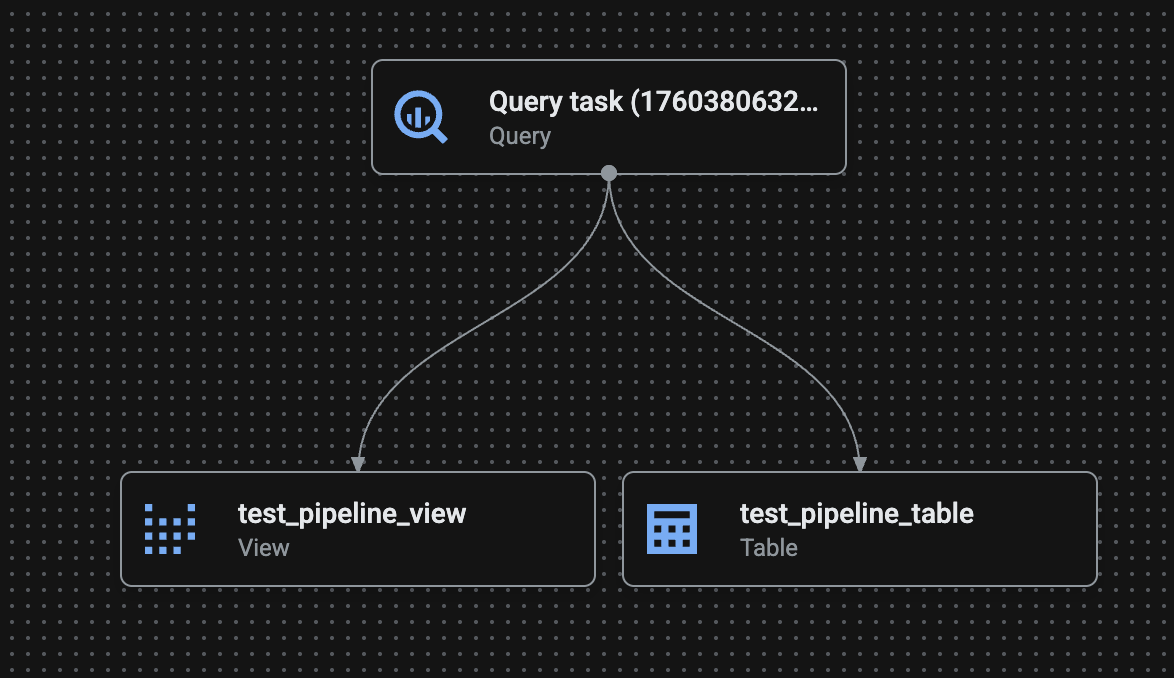
Pipelines were able to connect new or existing Queries, Notebooks and Data preparation. New members of this family are tables and views. You can build the following:
When you set up a view or table, you can just enter the name, but not the dataset. The default dataset is "dataform". You can change it afterwards in the details of the table/view.
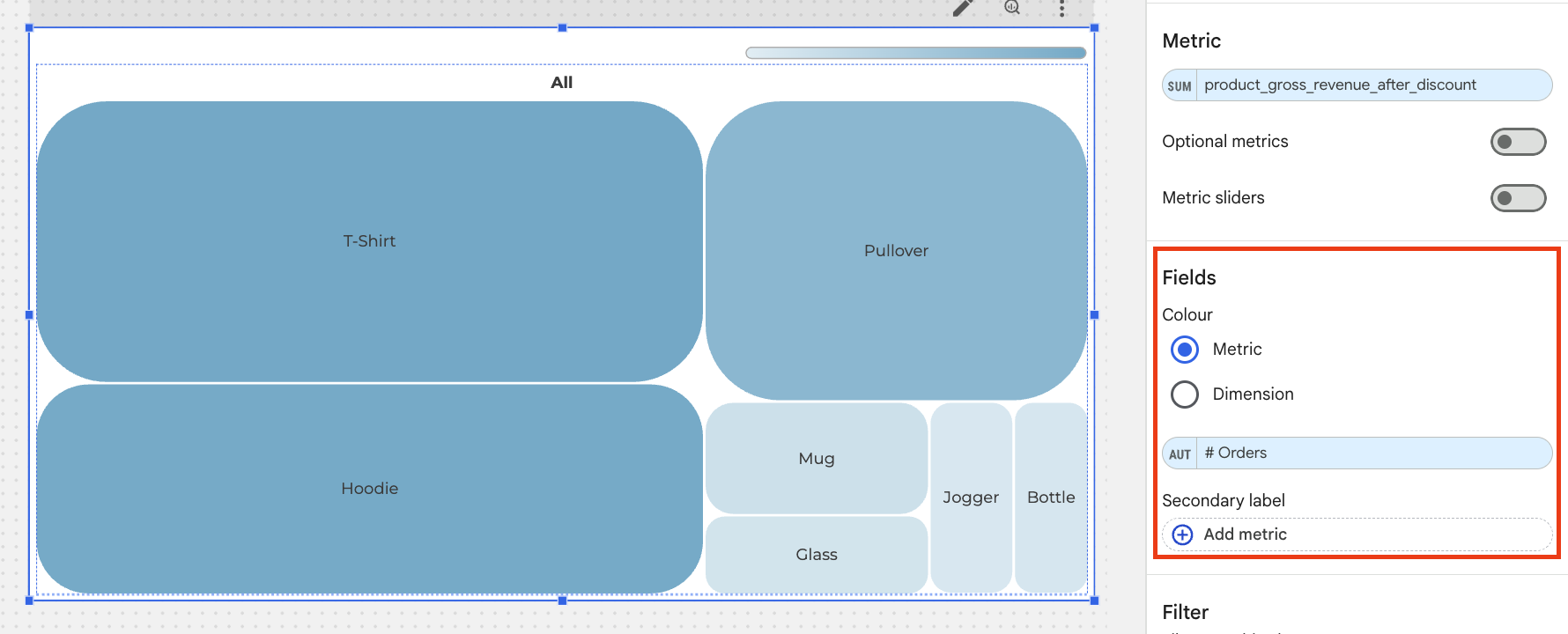
The desired output of the table/view you need to define in the corresponding tasks, so it works differently as mentioned earlier for the data canvas update, where you just define the output table.
Changes to the table/view models are always automatically saved.
BigQuery ML changes
There are some new BigQuery ML changes available, which I want to mention:
- Visualisation of model monitoring is available. More information can be found here.
- Different Embedded Models are available and can be used with the function "ML.GENERATE_EMBEDDING"
- Performing supervised tuning on a remote model with gemini-2.5-pro or gemini-2.5-flash-lite model
Dataform
Update Incremental Tables
Just a small change:
If you have an incremental table schema for one model, you can update it without a full table refresh.
Automatic Processing Location
In the repository settings in the workflow_settings.yaml file, you can set a default execution location:
defaultLocation: europe-west3
It is not mandatory anymore, because if there is no defaultLocation, it takes the location from the datasets that are referenced in the SQL code.
Looker Studio
Treemap charts improvements
There are some new features for the Treemap chart:
- There is a separate field to choose which dimension or metric defines the colour
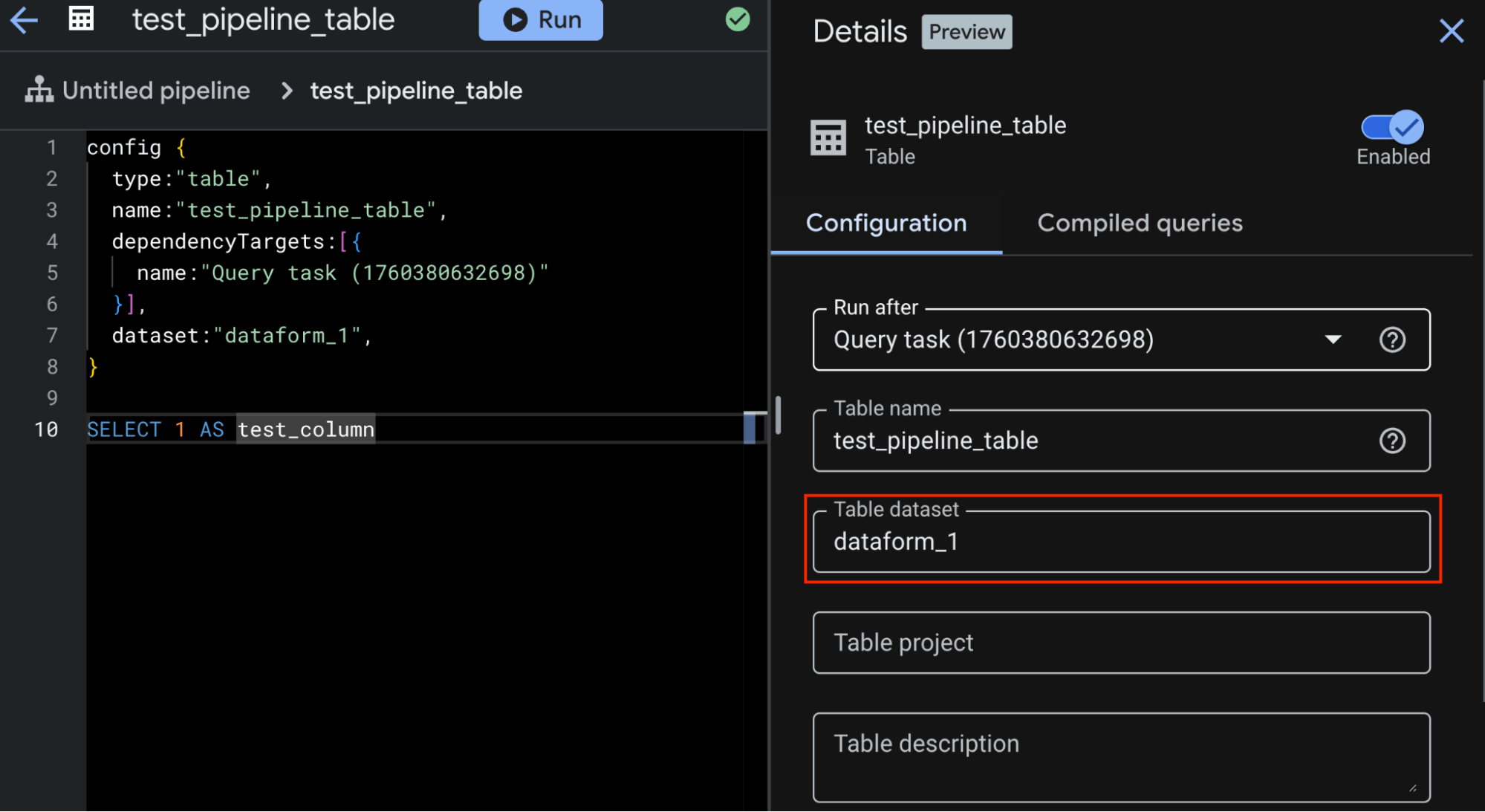
- Changing the colour shades
- Change the border radius for the shapes (shown in the upper screenshot)
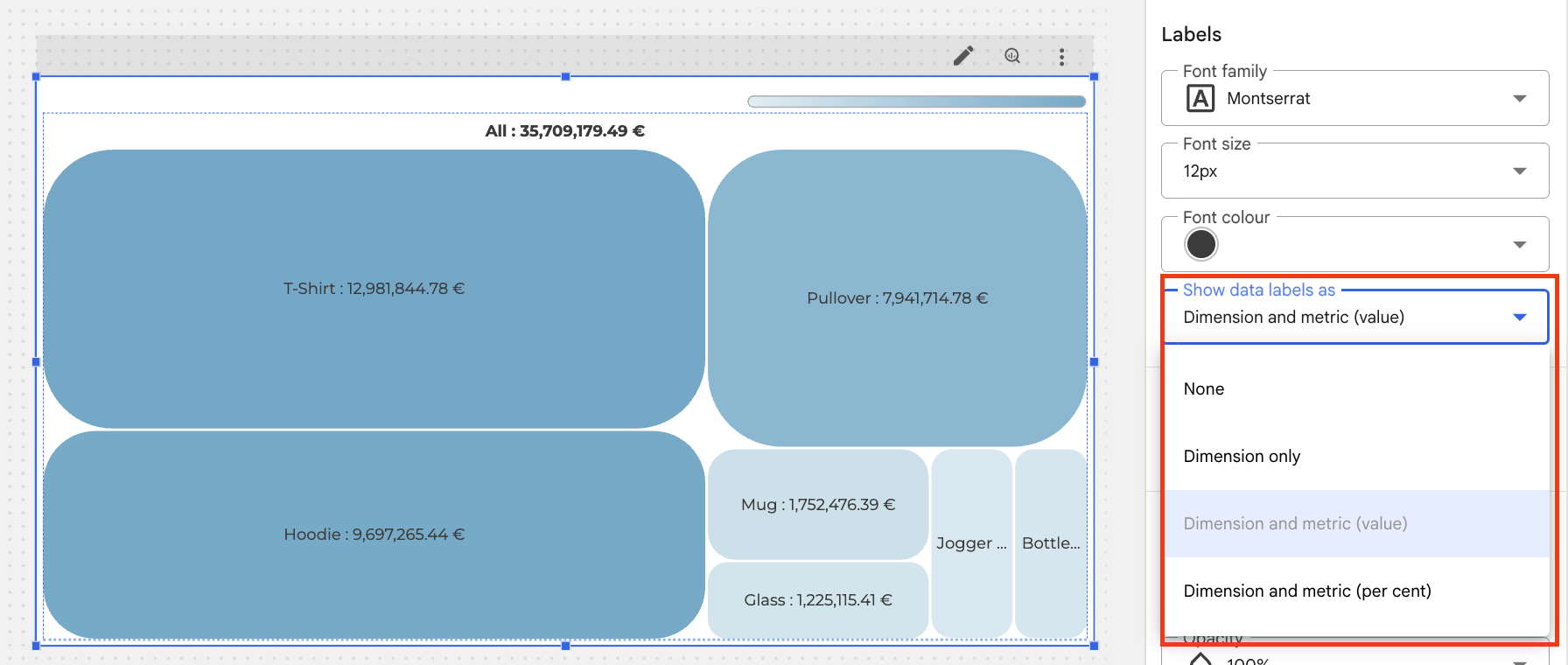
- Choosing different Label options
Sorting charts
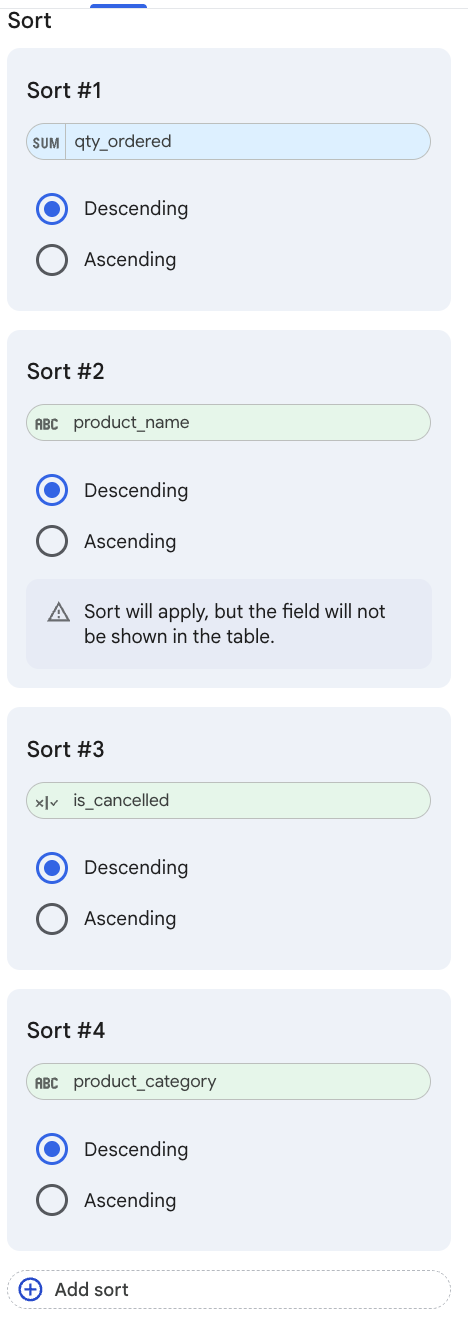
Tables in Looker Studio dashboards can now be sorted by up to 10 fields.
All fields of the data source can be used, not just the ones which are used in the table.
Google Analytics
Import Pinterest and Snapchat Costs
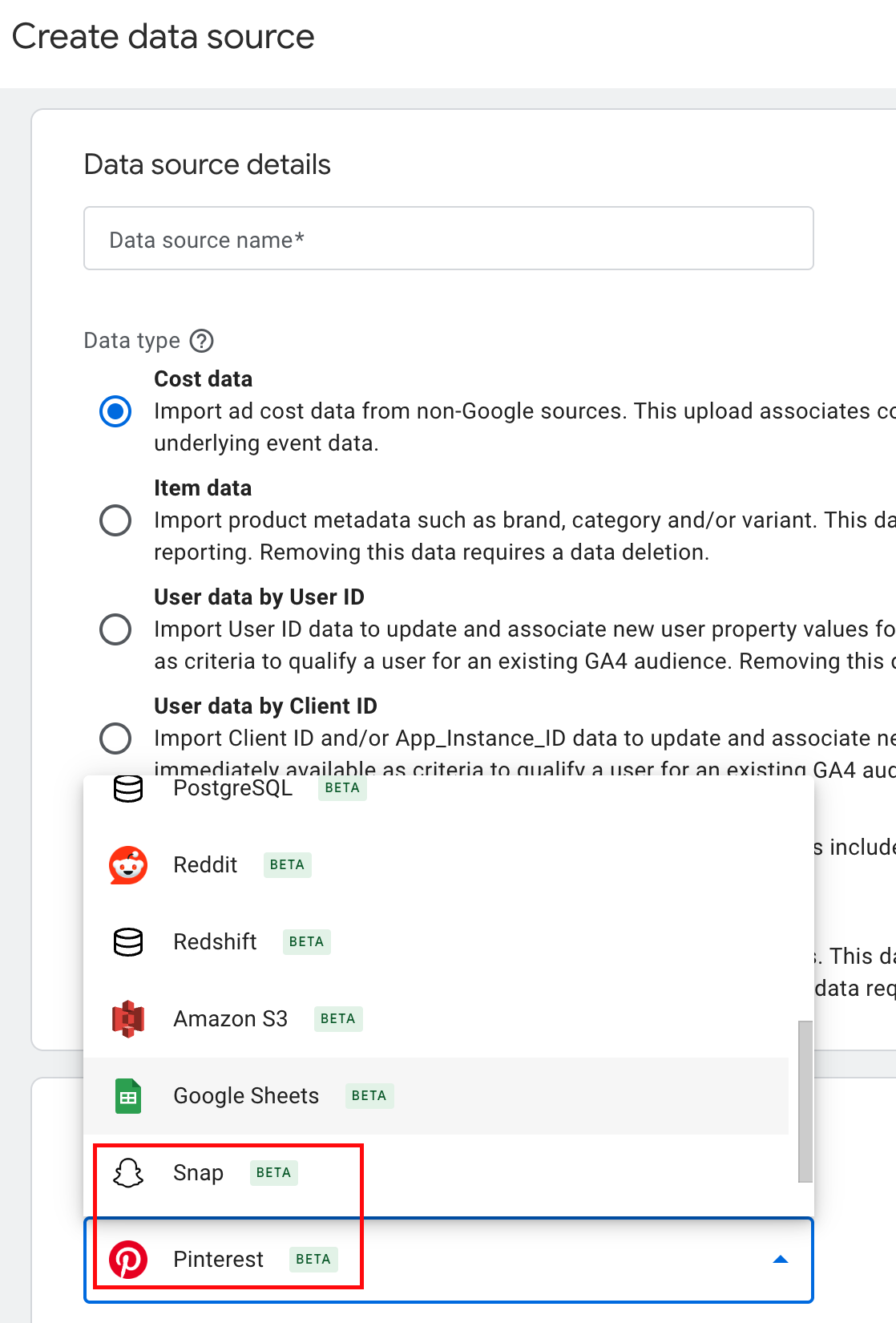
There are new cost data import options available directly in GA4.
You can add Pinterest and Snap Ads costs now. One limitation is that only the data of the last 24 months gets imported.
If you have already imported data with the manual approach, you need to take care that you have no duplicate cost data in the property. No automatic deduplication is happening then.
Add Snap or Pinterest costs
A guide to importing Pinterest data can be found https://support.google.com/analytics/answer/16537263, and for Snapchat https://support.google.com/analytics/answer/16489820.
Google Tag Manager
No further release for Google Tag Manager.
Further Links
This post is part of the Google Data Analytics series from https://www.datadice.io/ and explains to you every month the newest features in BigQuery, Data Studio, Google Analytics, and Google Tag Manager.
Check out our https://www.linkedin.com/company/datadice account to get insights into our daily working life and get important updates about BigQuery, Looker Studio, and marketing analytics.
We also started with our own YouTube channel. We talk about important DWH, BigQuery, Looker Studio, and many more topics. Check out the channel https://www.youtube.com/channel/UCpyCm0Pb2fqu5XnaiflrWDg.
If you want to learn more about how to use Google Data Studio and take it to the next level in combination with BigQuery, check our Udemy course https://www.udemy.com/course/bigquery-data-studio-grundlagen/.
If you are looking for help to set up a modern and cost-efficient data warehouse or analytical dashboards, send us an email to hello@datadice.io, and we will schedule a call.

