Want to use Google products, but don’t have a Gmail account? Or want to use Google products with an existing non-google account?
Step-by-Step Guide on creating a Google account without Gmail.
Step 1
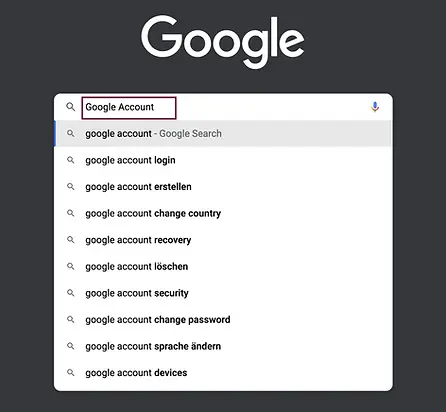
Go to Google and search for “Google Account”.
Step 2
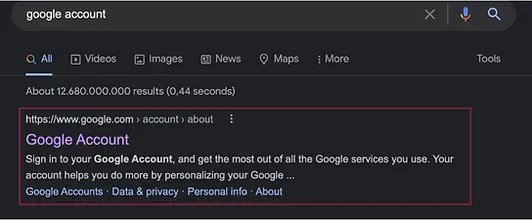
Click on the first option — https://www.google.com/account/about/.
Step 3
Next click on the “Create Account” option located at the top-right corner of the page.

Step 4
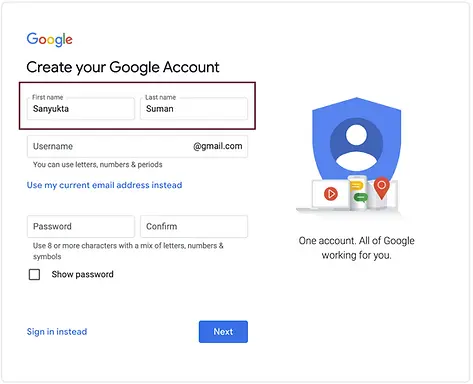
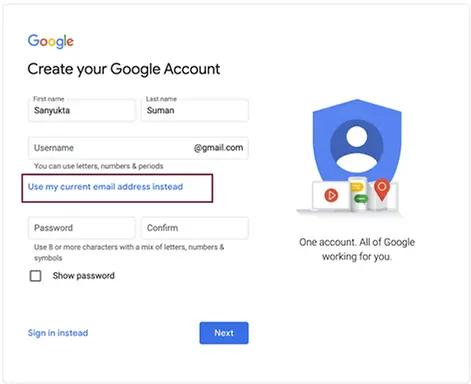
You will be redirected to the create account page. First, type in your first name and last name.
Step 5
This step is crucial. Instead of giving a new email ID, click on the “Use my current email address instead” option.
Step 6
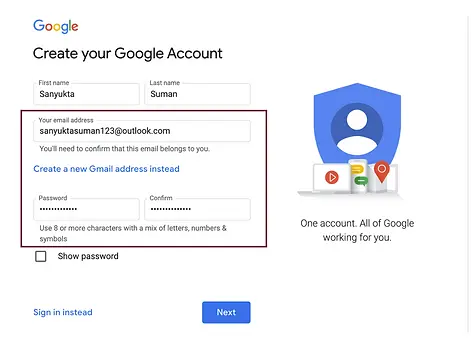
Next, type your existing non-google email address in the username field and a strong and secured password in the password field, then select next.
Step 7
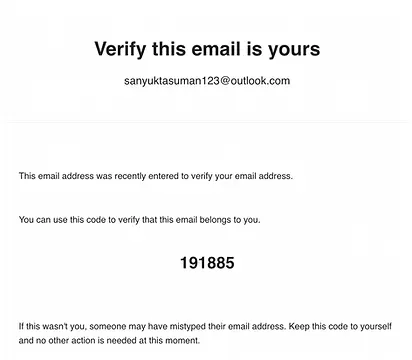
Check your email for a verification code. If you don’t see it in the inbox section, check your spam folder.
Step 8
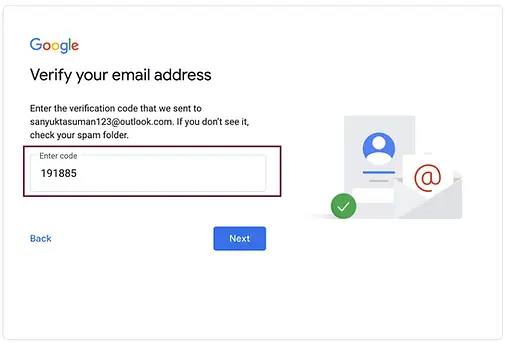
Enter the verification code that you received in your email and select next.
Step 9
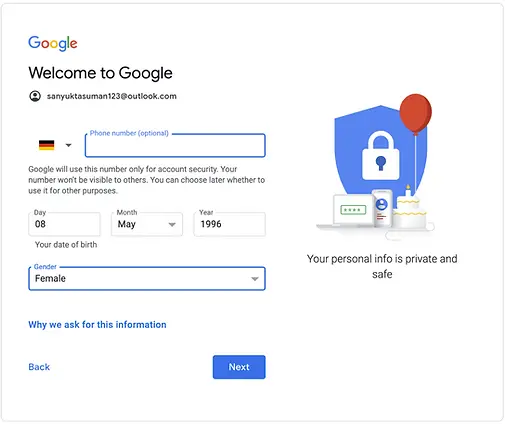
Enter your phone number (optional), birthdate, and gender, and select next.
Step 10
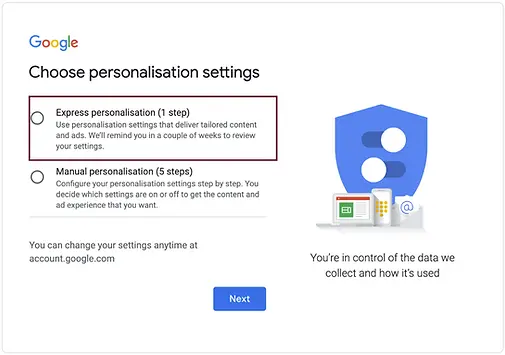
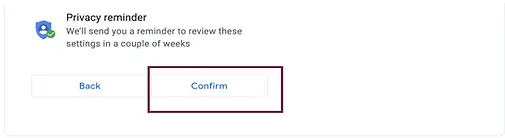
Select express personalization or manual personalization and select next. Confirm privacy settings on the next page and then select confirm.
Step 11
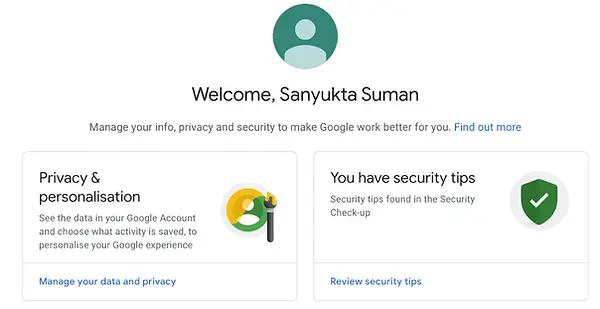
That’s it! You can now use your Google account for any Google products. Enjoy using Google and its products.
Further Links
Follow us on LinkedIn for insights into our daily work and important updates on BigQuery, Data Studio, and marketing analytics.
Subscribe to our YouTube channel for discussions on DWH, BigQuery, Looker Studio, and Google Tag Manager.
If you are interested in learning BigQuery from scratch, get access to our free BigQuery Course
Elevate your skills with Google Data Studio and BigQuery by enrolling in our Udemy course.
Need help setting up a modern, cost-efficient data warehouse or analytical dashboard? Email us at hello@datadice.io to schedule a call.