In this blog post, I want to summarize the new releases from the Google tools, that we use daily in datadice. Therefore I want to give an overview of the new features of BigQuery, Dataform, Looker Studio, Google Analytics and Google Tag Manager. Furthermore, I will focus on the releases that I consider to be the most important ones and I will also name some other changes that were made.
If you want to take a closer look, here you can find the Release Notes from BigQuery, Dataform, Looker Studio, Google Analytics & Google Tag Manager.
BigQuery
Gemini's assistance in data canvas
With data canvas in BigQuery, you have tables and models in one view, and you see the connection between them and can add step by step more models and different outputs.
There is a Gemini assist available now. You can start with a new data canvas and make complete models by just interacting with the AI.
 Using Gemini assistance in data canvas
I tried it a bit, and the canvas tool in general is not bad, but I had some problems that Gemini stays in the context over multiple messages, and the results in the SQL Models are ok, but not perfect. But for sure, it is also a matter of the correct prompting.
Python UDFs
You can already build User-defined functions in SQL and in JavaScript. Now you can write them in Python as well.
To create a UDF, you can do the following:
CREATE OR REPLACE FUNCTION `projectname.datasetname`.concatenateStringsWithHyphens(x STRING, y STRING, z STRING)RETURNS STRINGLANGUAGE pythonOPTIONS(runtime_version="python-3.11", entry_point="StringConcatenate")AS r'''def StringConcatenate(a,b,c): return f"{a}-{b}-{c}"''';
In this function, you have plenty of more possibilities like:
- Using Vectorization
- Installing packages
- Importing Python files
- Configuring container limits
- …
Then you can use the function in your SQL Models:
SELECT 'Blog', 'Post', 'April',`projectname.datasetname`.concatenateStringsWithHyphens('Blog', 'Post', 'April') AS string_concat
The query result is “Blog-Post-April”.
Migration of Amazon Redshift Serverless
If you want to migrate your current system to the Google Cloud / BigQuery, Google has documentation to support you in these cases. Google added the corresponding documentation if you want to migrate from Amazon Redshift.
The documentation now contains:
- Teradata
- Amazon Redshift
- Amazon Redshift Server
- Apache Hive
- Snowflake
- Oracle
BigQuery ML features
In the following, I will mention the new updates for BigQuery ML:
- WIth the options top_k_insights_by_apriori_support and pruning_method model you can create contribution analysis now
- Analyzing Text with a Vertex AI Gemini model. For example, the function AI.GENERATE_BOOL delivers a boolean value as a result
- Remote Models based on Llama and Mistral AI in Vertex AI
- The TimesFM univariate time series forecasting model is available
Dataform
No further release for Dataform.
Looker Studio
No further release for Looker Studio.
Google Analytics
Report snapshot
There is a new report available where you can choose one of 3 different report snapshots.
There are reports for “User behavior”, “Sales and revenue”, and “Marketing performance” available.
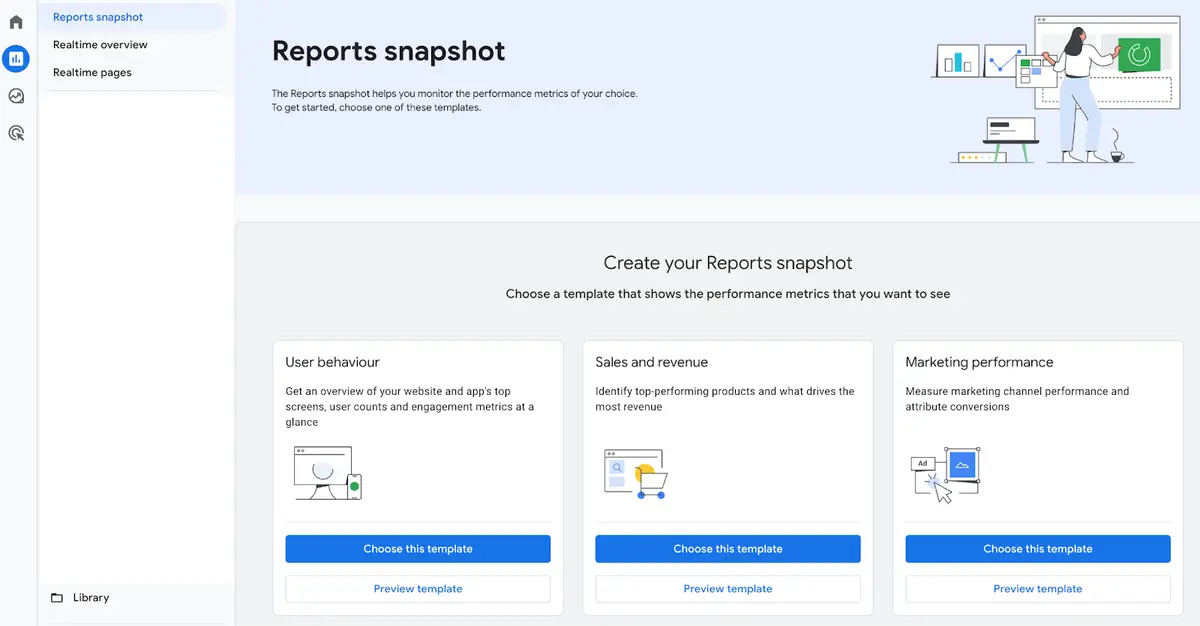 Selecting a template
Before you select one of the reports, you can preview the template.
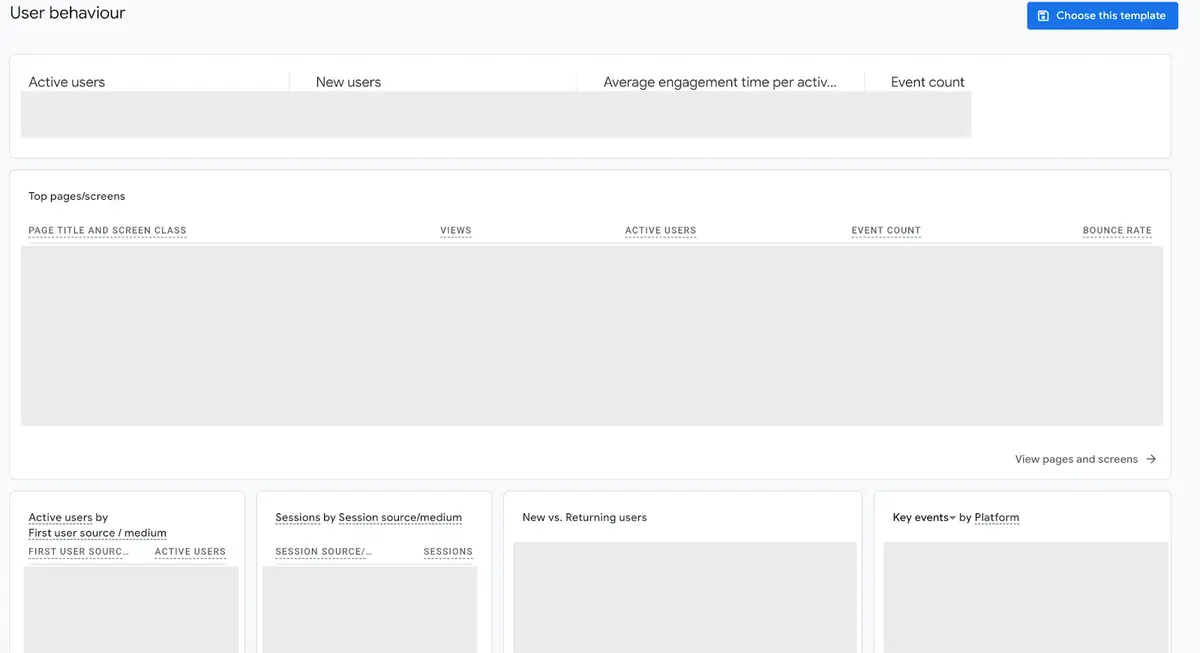 Preview a template
Generated insights
Sometimes you get these kinds of insights on the GA home page already. Now they can appear in detail pages too.
These insights are working like the following:If there is a bigger change in the data, this AI-supported information pops up, tries to find out what can be the possible reasons and shows call to actions.
Google Tag Manager
New tag alerts
Google is regularly observing your implementation of the Google Tag. Depending on the result, it shows you alerts with different severities.
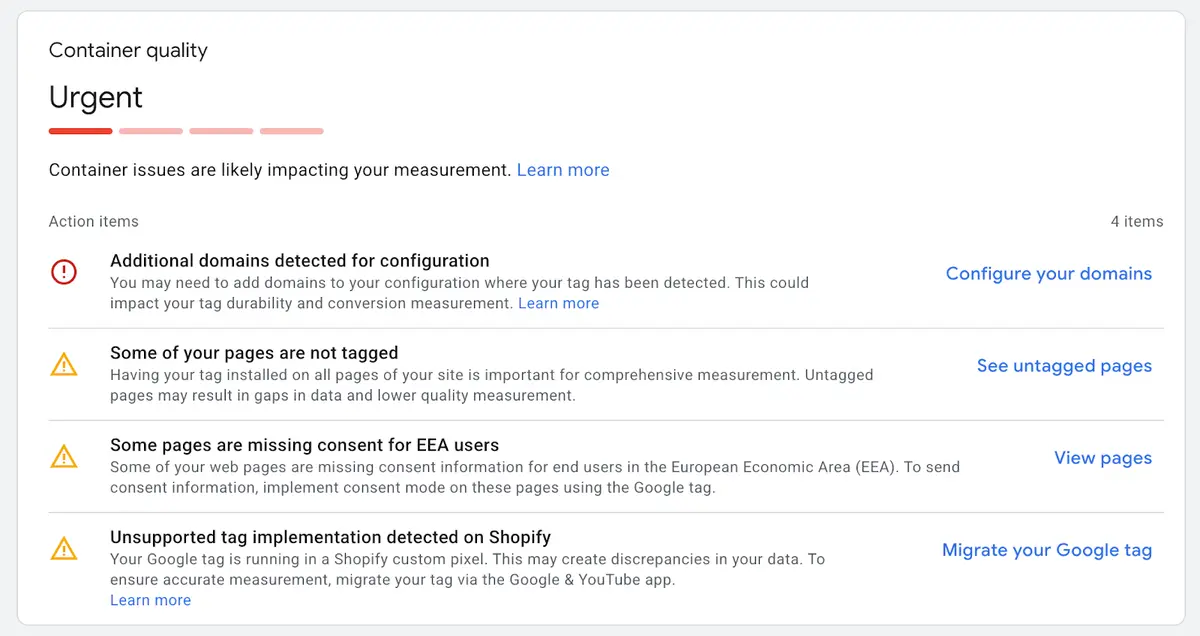 Tag alerts
There are 3 new alerts available.
- Your tag data may be restricted: appears when you are using a CDN (e.g. CloudFlare) but not in first-party mode. Information about this can be found in our last blog post.
- Missing gtag config command: appears when the Google Tag Code on the website is not correctly located.
- Missing Google tag: The tags in the GTM do not have a matching Google Tag.
Further Links
This post is part of the Google Data Analytics series from datadice and explains to you every month the newest features in BigQuery, Data Studio, Google Analytics and Google Tag Manager.
Check out our LinkedIn account, to get insights into our daily working life and get important updates about BigQuery, Data Studio and marketing analytics.
We also started with our own YouTube channel. We talk about important DWH, BigQuery, Data Studio and many more topics. Check out the channel here.
If you want to learn more about how to use Google Data Studio and take it to the next level in combination with BigQuery, check our Udemy course here.
If you are looking for help to set up a modern and cost-efficient data warehouse or analytical dashboards, send us an email to hello@datadice.io and we will schedule a call.