In this blog post, I want to summarize the new releases from the Google tools, that we use daily in datadice. Therefore I want to give an overview of the new features of BigQuery, Dataform, Looker Studio, Google Analytics and Google Tag Manager. Furthermore, I will focus on the releases that I consider to be the most important ones and I will also name some other changes that were made.
If you want to take a closer look, here you can find the Release Notes from BigQuery, Dataform, Looker Studio, Google Analytics & Google Tag Manager.
BigQuery
BigQuery settings
There is a completely new menu available in BigQuery:
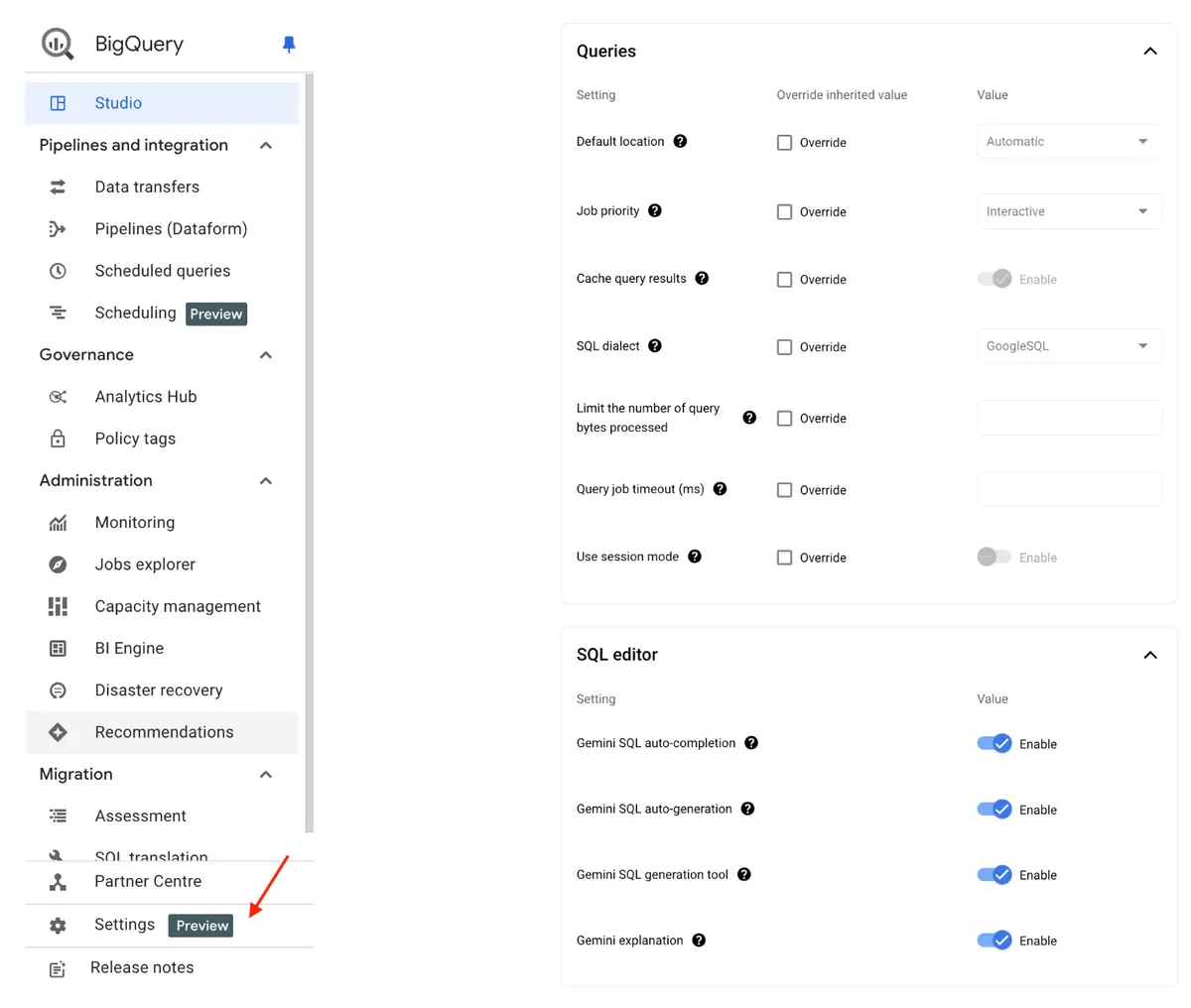 New Settings menu
In the settings menu, you can set up global changes for BigQuery. Before putting it into its own menu, most of these settings were available in the BigQuery Editor.
If you want to change any configuration there, you need to activate the “Override ” box and then change the value.
New Data Transfer Services
There are two new Transfer Services available:
- MySQL
- PostgreSQL
This means, you just need to add the correct configurations to the connection and then the data will be (regularly) imported to BigQuery.
To get more information about the connections you can check the MySQL and PostgreSQL documentation.
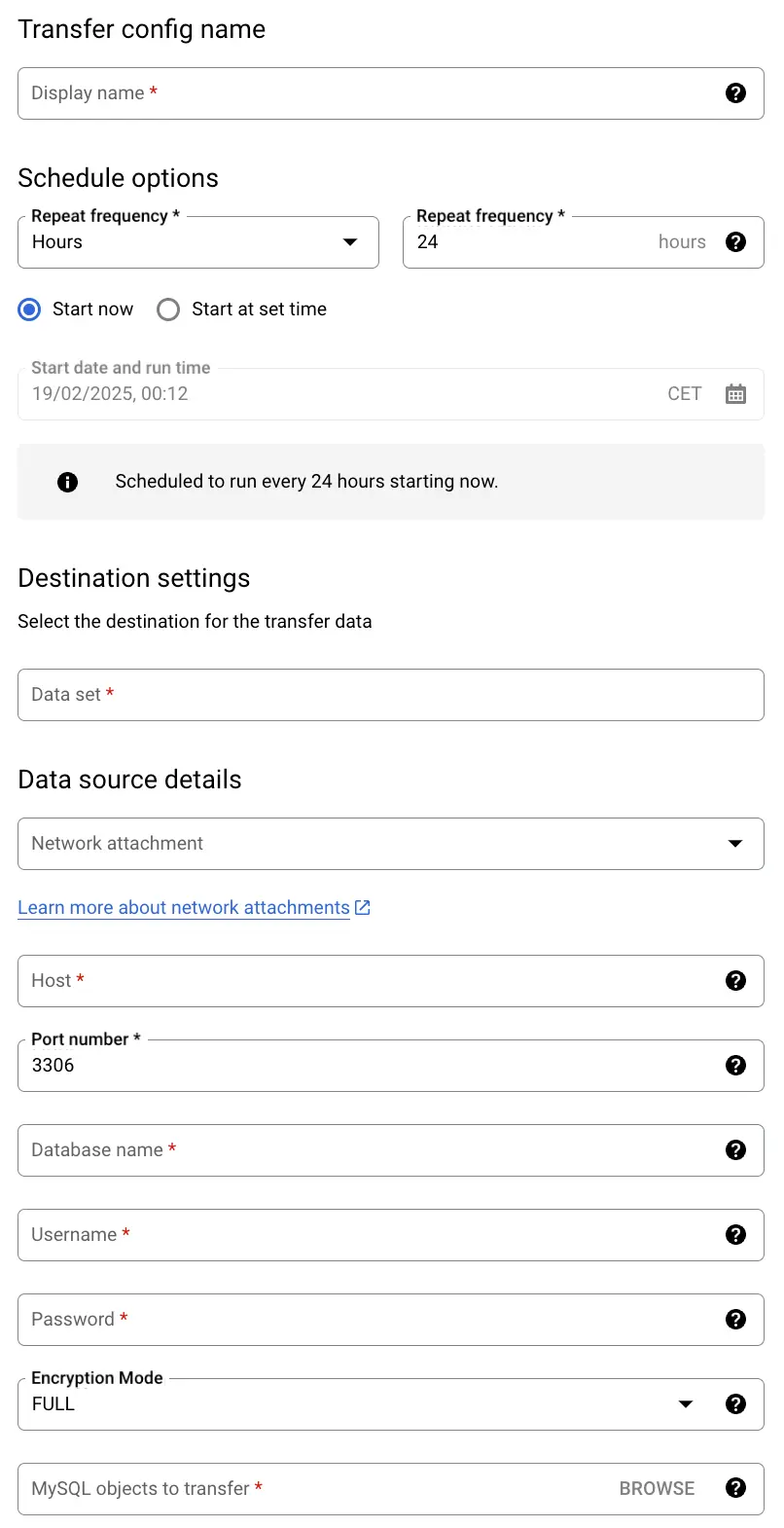 Setting up MySQL connection
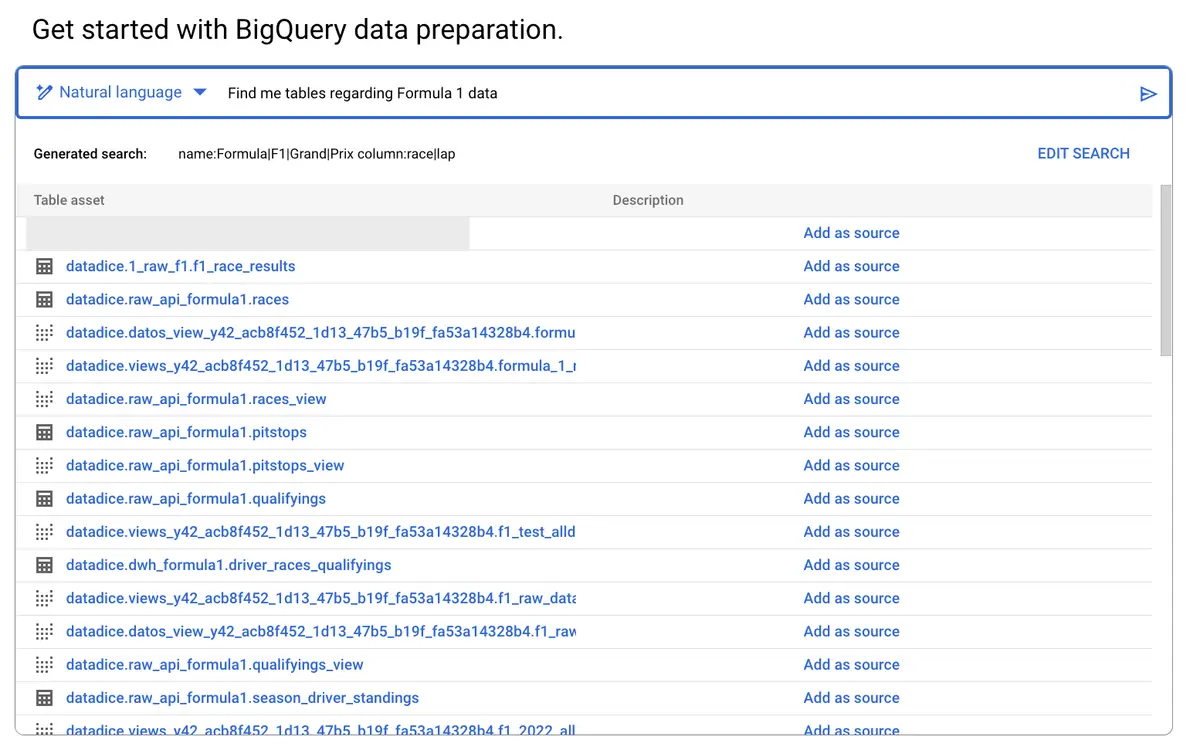
Gemini support
In the data preparation part, you can now use natural language to search for the needed tables. Before the change, you needed to type in the search keywords on your own.
A nice new feature to make the search a bit more intuitive.
 Sorting of a pivot table
Google Analytics
Consent settings hub
In the Admin part of your Google Analytics Property, there is a new menu available in the part “Data collection and modification > Consent Settings”.
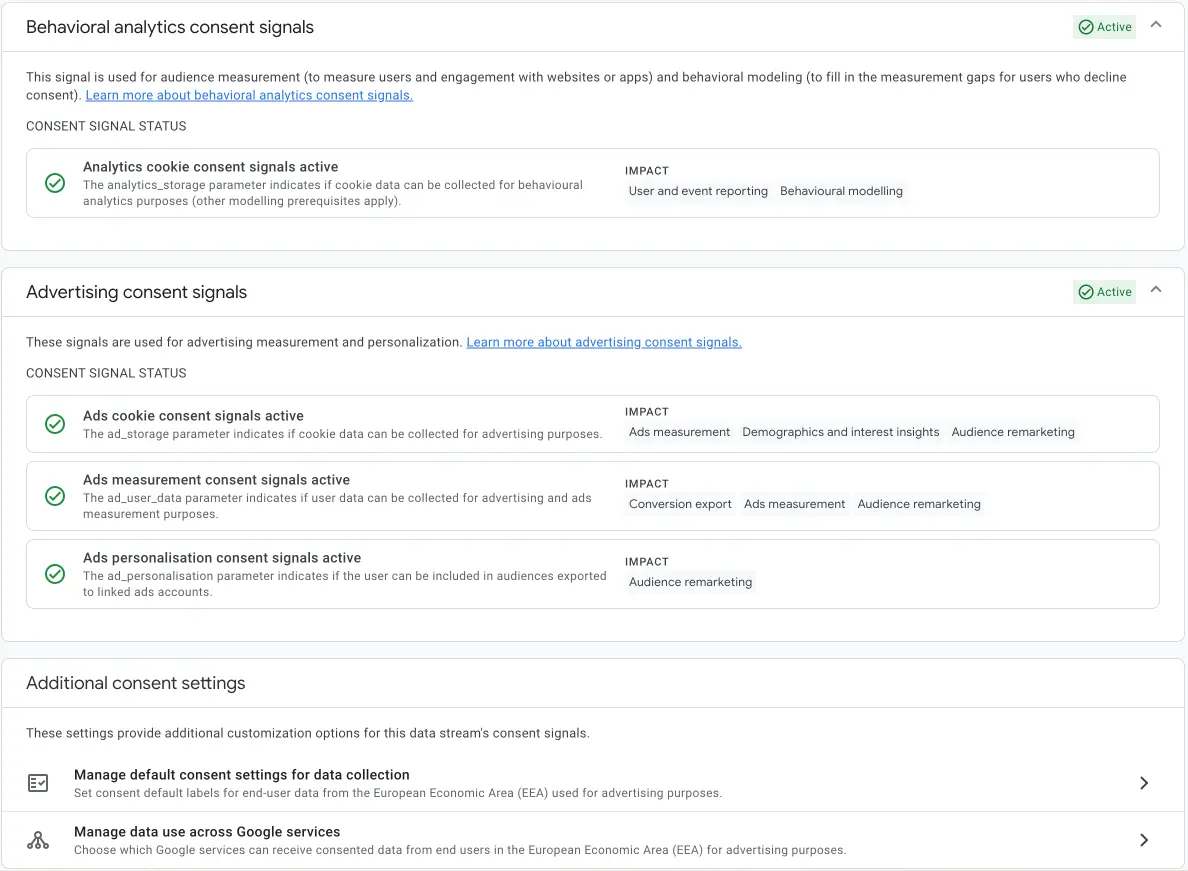 Consent Information
In the menu, you see on one view if the consent information is correctly sent to Google Analytics. The different consent statuses are stated separately:
- Analytics cookie
- Ads cookie
- Ads measurement
- Ads personalisation
Additionally, you can change the following settings:
- Default consent settings for data collection: Every data will be treated as consented. The default selection will be overwritten when data has consent information attached (Default: No)
- If all Google Services should get the consent information (Default: All Google services)
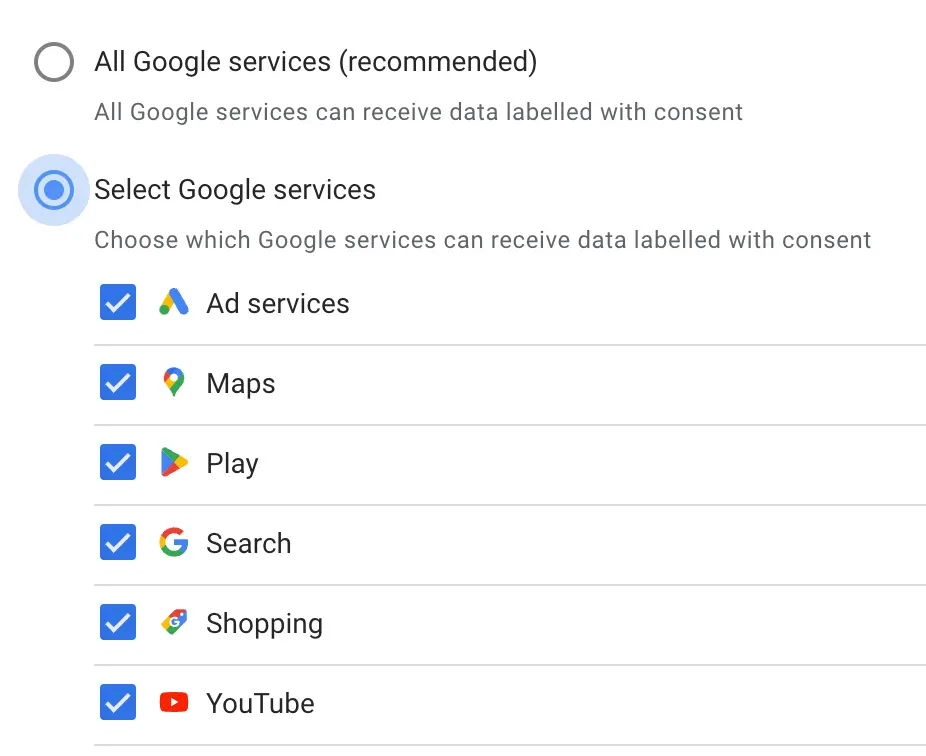 Consent information for Google Services
Copy reports across properties
There is the possibility of copying reports from the library to another property. To do that you need to go to the reports section > Library > three dots for the wanted report > “ Copy across properties”.
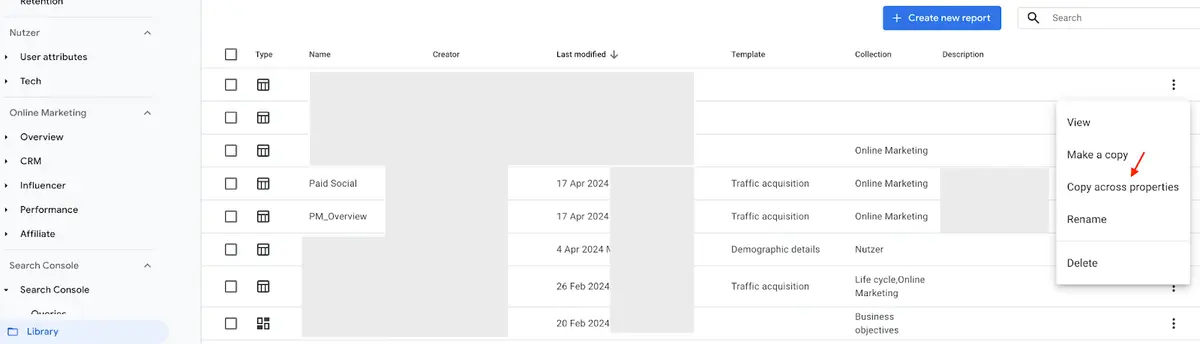 Copy report across properties
Then you get the list of properties you have access to and click on the “Copy to property” button on the target property.
Google Tag Manager
No further release for Google Tag Manager.
Further Links
This post is part of the Google Data Analytics series from datadice and explains to you every month the newest features in BigQuery, Data Studio, Google Analytics and Google Tag Manager.
Check out our LinkedIn account, to get insights into our daily working life and get important updates about BigQuery, Data Studio and marketing analytics.
We also started with our own YouTube channel. We talk about important DWH, BigQuery, Data Studio and many more topics. Check out the channel here.
If you want to learn more about how to use Google Data Studio and take it to the next level in combination with BigQuery, check our Udemy course here.
If you are looking for help to set up a modern and cost-efficient data warehouse or analytical dashboards, send us an email to hello@datadice.io and we will schedule a call.