In this blog post, I want to summarize the new releases from the Google tools, that we use daily in datadice. Therefore I want to give an overview of the new features of BigQuery, Dataform, Looker Studio, Google Analytics and Google Tag Manager. Furthermore, I will focus on the releases that I consider to be the most important ones and I will also name some other changes that were made.
If you want to take a closer look, here you can find the Release Notes from BigQuery, Dataform, Looker Studio, Google Analytics & Google Tag Manager.
BigQuery
Snowflake to BigQuery Transfer
Google has introduced a new transfer service that simplifies the migration of data from Snowflake to BigQuery. At first, it is saved in Google Cloud Storage, from where it can be loaded into BigQuery.
The transfer process supports both full and incremental loads and includes options for schema mapping and scheduling.
On the BigQuery side, you just need to choose the target dataset, and for Snowflake, you need to enter all the important credentials to authorize.
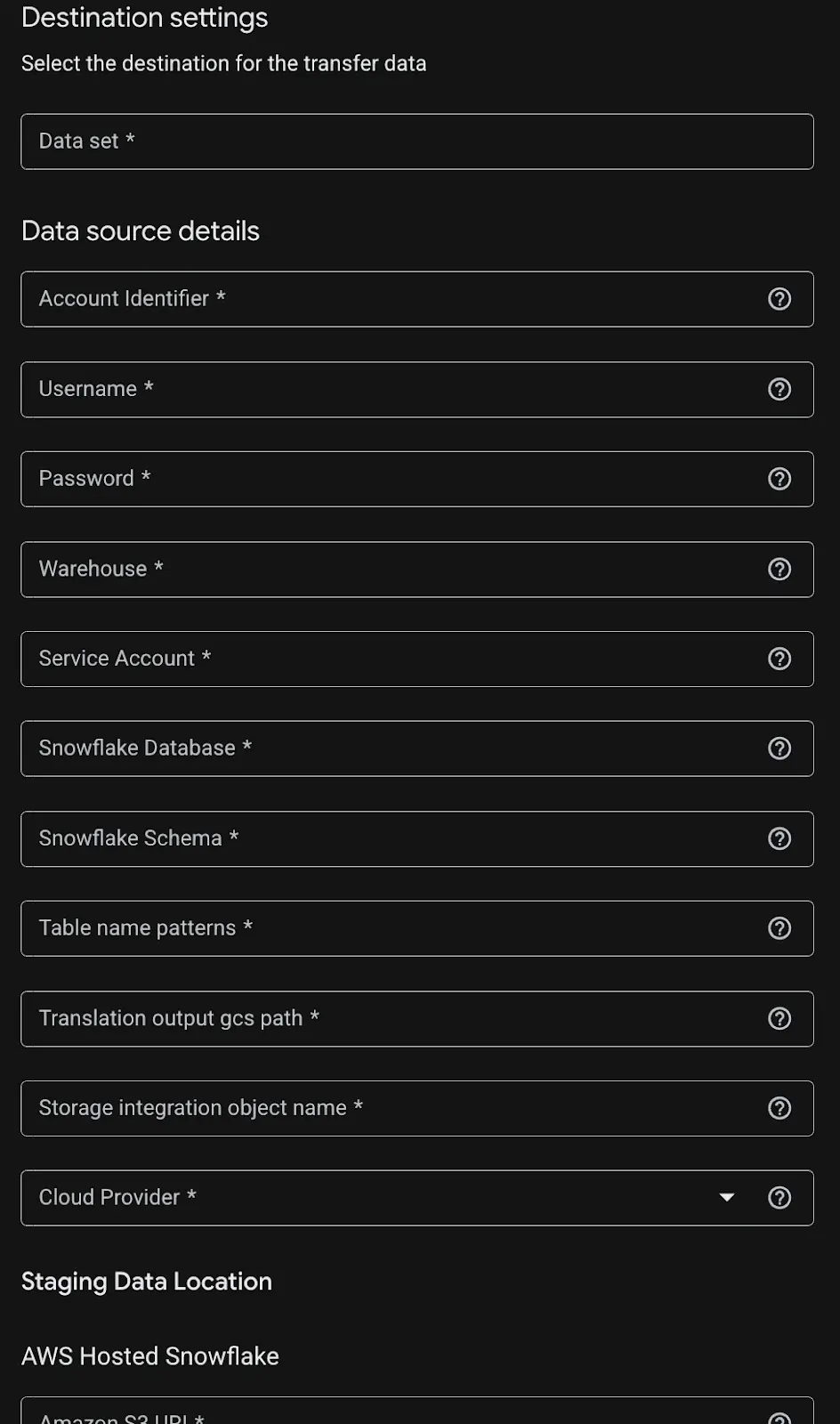 Snowflake transfer settings
Detailed documentation is available here.
Cross-region batch loading and exporting data
Loading data from one region into another region was always a serious matter.
The load (bq load / LOAD DATA) and export (bq extract / EXPORT DATA) functionality has no restrictions anymore, to or from which region you want to export or load your data
With the following command, you can load data from a file in GCS to BigQuery:
LOAD DATA INTO dataset_name.table_name FROM FILES(format='AVRO',uris=['gs://bucket1/path1/path2/file_name.avro'] )
And with the following command, you can push data from BigQuery to GCS:
EXPORT DATA OPTIONS( uri='gs://bucket1/path1/file_name.csv', format='CSV', overwrite=true, header=true, field_delimiter=';')ASSELECT field1, field2 FROM mydataset.table1ORDER BY field1
Event-driven transfers
A new feature for the BigQuery transfer from Google Cloud Storage.
With this new kind of GCS transfer, you can achieve the following behaviour: When an object is added or modified in a Cloud Storage bucket, BigQuery automatically initiates a load job and pushes the data to BigQuery within a few minutes.
Limitations:
-
Each triggered transfer run will not start more often than every 10 minutes, regardless of how many file events occur
-
The usage of runtime parameters is not possible
-
A single Pub/Sub subscription only supports one transfer configuration, for different use cases, you need different subscriptions
The setup details can be found here.
In the transfer, you just need to select "Event-Driven” for the Repeat frequency and choose the Pub/Sub subscription.
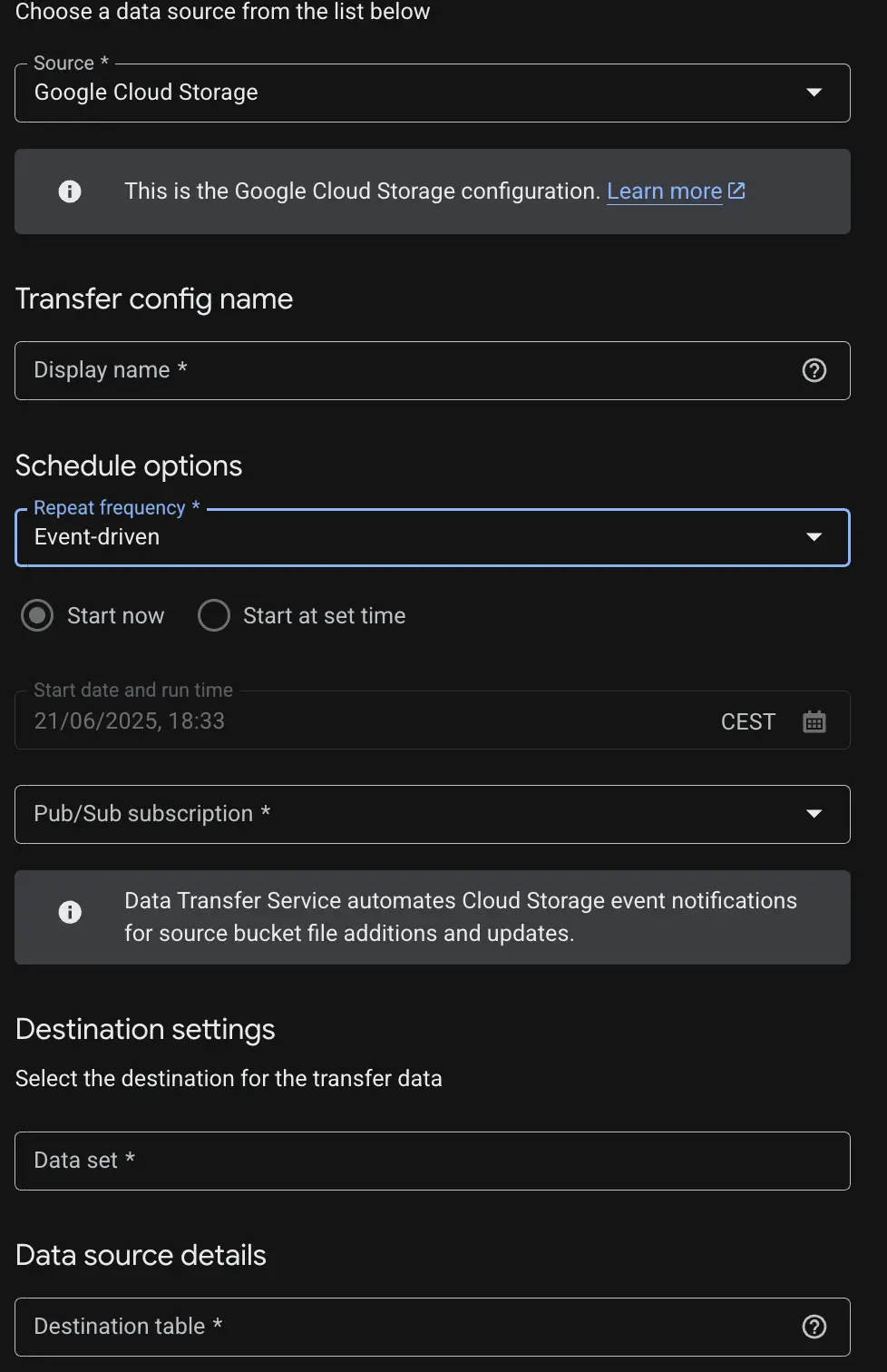 Setting up Event-driven import
For a real-time setup, this option is not the preferred choice because of the delay of some minutes. Using the Storage Write API is the right method in this case.
Dataform
New strict act-as mode
This mode is a new security layer for users in Dataform.
You can enable this mode by creating the repository or adding the “strict_act_as_checks” repository flag. When it is active the service account who executes the workflows need the the permission “iam.serviceAccounts.actAs”.
Further restricted actions are creating or updating repository and workflow configurations and more.
Looker Studio
Cartesian Charts Grid lines
There are new options available for setting up the style and colour of all grid lines, especially for the left and right y-axis.
With different colouring it is easier to distinguish between the values.
 Change Grid Line Colour
Hint: We usually try to align the left and right axis, by setting up min and max values per axis. The lines are overlapping and the chart is clearer. Then it combines the colour of both lines.
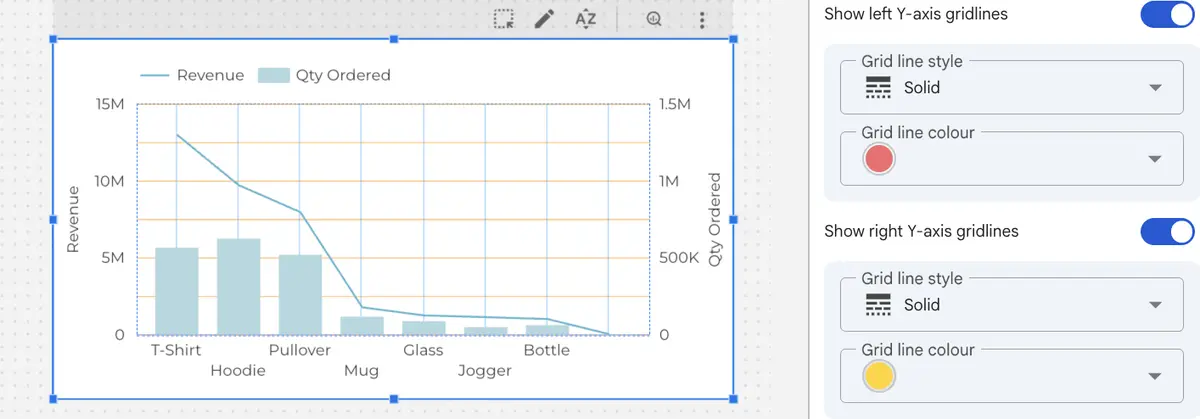 Overlapping Lines
Pro: Code Interpreter
Looker Studio’s Conversational Analytics now includes an experimental Code Interpreter. Once activated, users can ask natural language questions. These are internally translated into Python code, executed, and returned as enhanced analyses or visualizations.
There is a complete embedded Python environment behind, which leads to a system that is more capable of further analysis than pure SQL code.
To use it, navigate to Conversational Analytics in the Looker Studio start page, click on Advanced analytics, enable the Code Interpreter, select the data, and start querying.
Looker Studio will show both the generated Python behind the response and the result. This enables deeper insights through charting libraries (e.g., matplotlib, seaborn) and data manipulation tools (e.g., pandas) without requiring manual code writing.
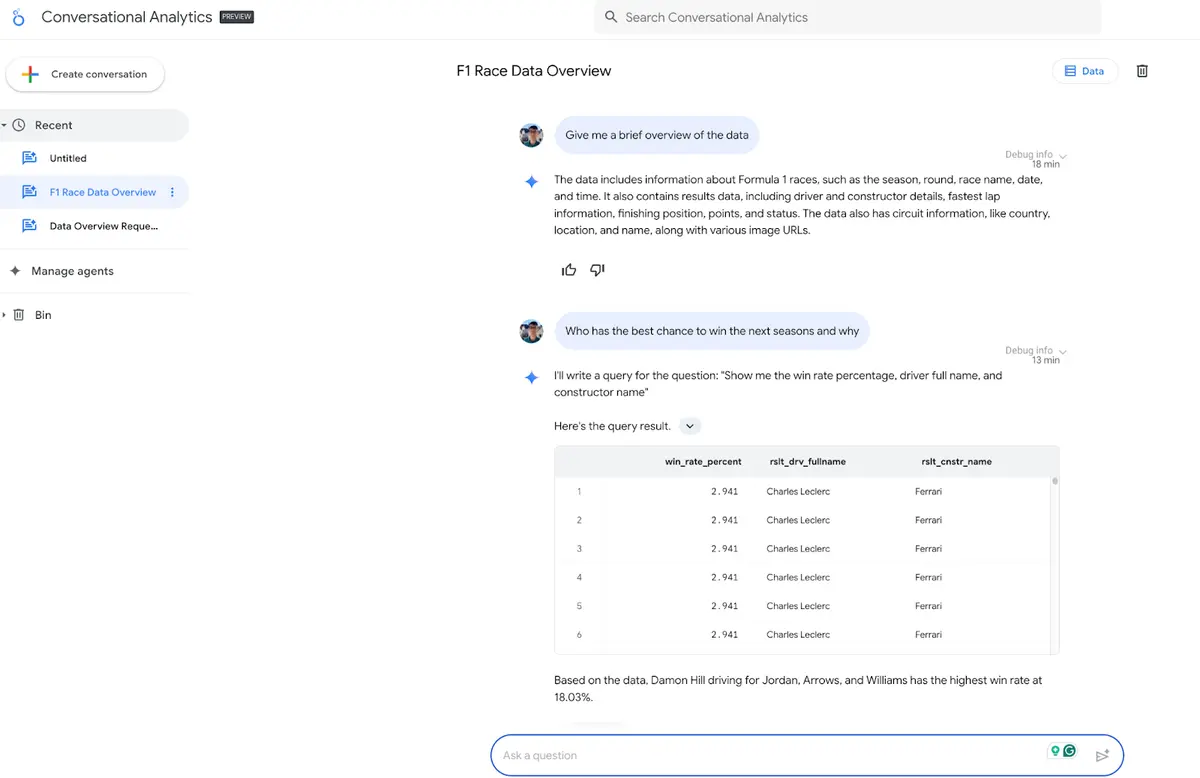 Chat questions in Conversation Analytics
Note: So far, for me, this Code Interpreter is not available. There should be a toggle on the left side navigation panel in the advanced analytics area.
Open links in a new tab
The editor of the reports can set up whether links in the (pivot) table should open in a new tab.
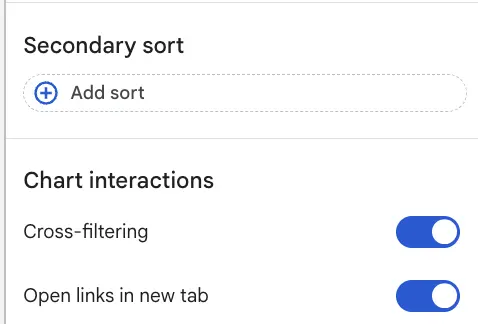 Activate “Open links in new tab”
For links in static texts, this can be configured as well in the menu where you set up the link and display text.
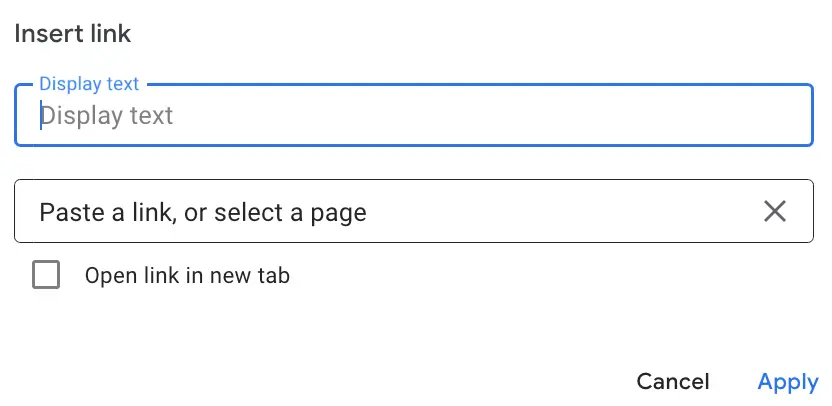 Activate “Open links in new tab” in texts
Google Analytics
No further release for Google Analytics.
Google Tag Manager
No further release for Google Tag Manager.
Further Links
This post is part of the Google Data Analytics series from datadice and explains to you every month the newest features in BigQuery, Data Studio, Google Analytics and Google Tag Manager.
Check out our LinkedIn account, to get insights into our daily working life and get important updates about BigQuery, Data Studio and marketing analytics.
We also started with our own YouTube channel. We talk about important DWH, BigQuery, Data Studio and many more topics. Check out the channel here.
If you want to learn more about how to use Google Data Studio and take it to the next level in combination with BigQuery, check our Udemy course here.
If you are looking for help to set up a modern and cost-efficient data warehouse or analytical dashboards, send us an email to hello@datadice.io and we will schedule a call.