In this blog post, I want to summarize the new releases from the Google tools that we use daily in datadice. Therefore, I want to give an overview of the new features of BigQuery, Dataform, Looker Studio, Google Analytics, and Google Tag Manager. Furthermore, I will focus on the releases that I consider to be the most important ones, and I will also name some other changes that were made.
If you want to take a closer look, here you can find the Release Notes from BigQuery, Dataform, Data Studio, Google Analytics & Google Tag Manager.
BigQuery
BigQuery Studio Git repositories
BigQuery Studio now supports direct integration with remote Git repositories, allowing you to manage and version control your SQL scripts and notebooks seamlessly.
To connect and manage your repositories, follow these steps:
- Navigate to your BigQuery Studio workspace
- Open the Explorer pane and select the Files tab
- Click on Add > Create > Git repository
- Add the needed Git credentials
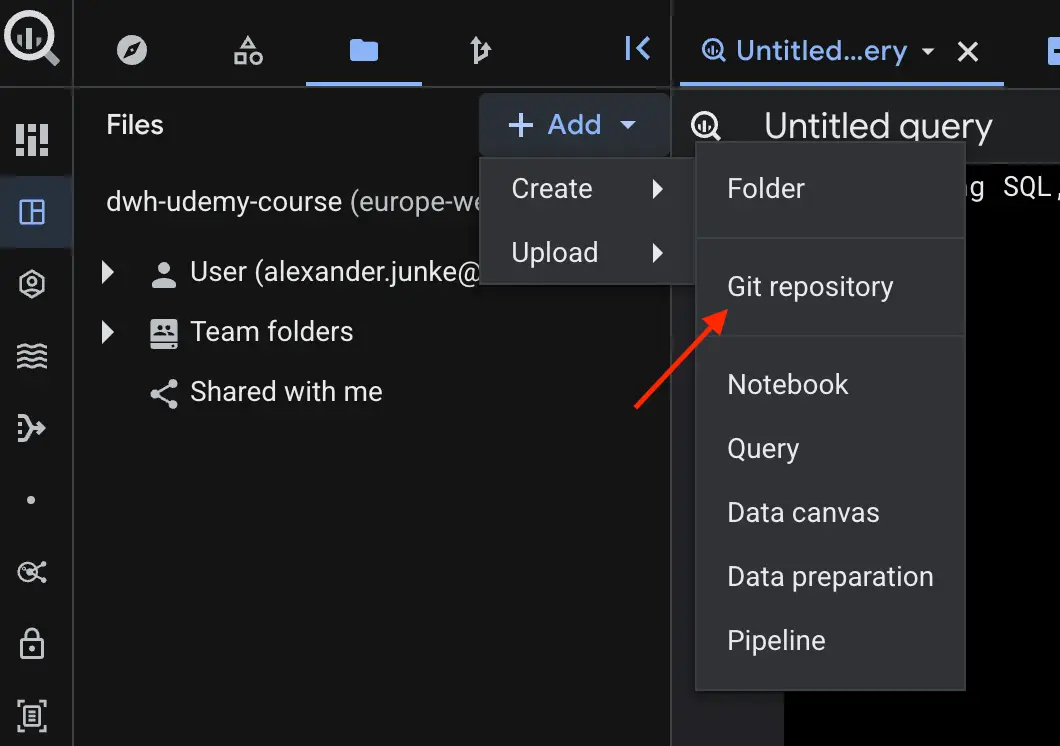
When the link is working, it looks like:
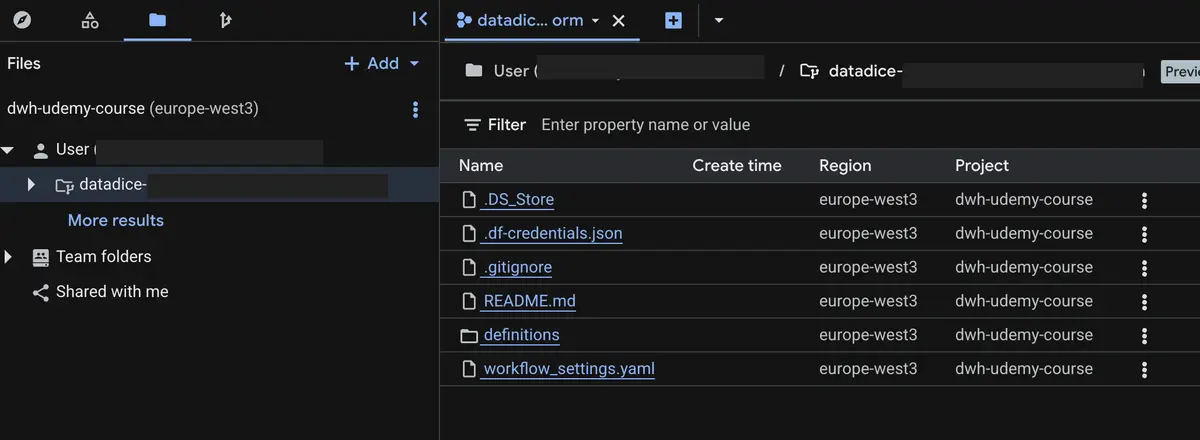
Once linked, you can sync the repository to access, edit, and version control your SQL scripts and notebooks using the integrated interface.
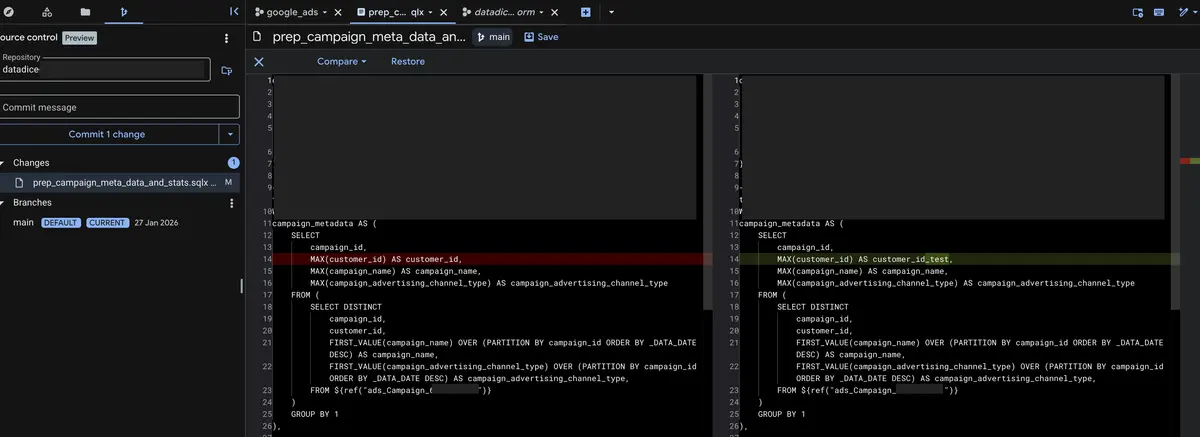
More information can be found here.
Multi-Region Sharing Listings
Although the fundamental feature already exists, it has not been covered in our previous updates and is being introduced here because it is an interesting feature.
Generally, "Listings" in BigQuery (via the Analytics Hub) are used to share datasets securely and in a controlled manner with other organizations or external partners. Instead of physically copying or exporting data, a listing grants direct read access to the original data.
The key update now expands this functionality on a global scale. You can now configure BigQuery sharing listings for multiple regions simultaneously. For datasets, you can just select multiple regions when cross-region dataset replication is activated for the desired dataset.
To create a listing, you need to do the following:
- Click in BigQuery on “Sharing (Analytics Hub)”
- Select the desired exchange or create a new one
- Click on “Create listing”
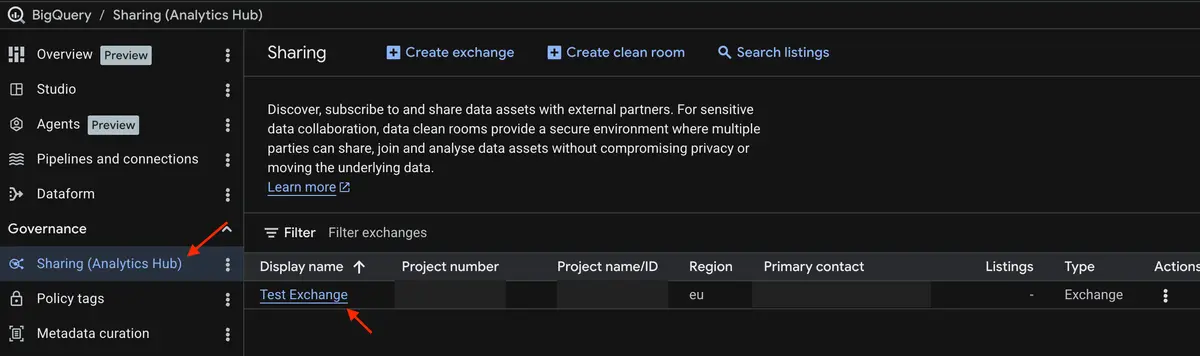

More information can be found here.
New AI functions
Google has expanded the artificial intelligence capabilities within BigQuery by introducing two new AI functions:
- AI.COUNT_TOKENS function to estimate the token count of provided text inputs. The output contains the token count as a number and detailed information about the calculation.
SELECT
  AI.COUNT_TOKENS('Lorem Ipsum Dolor Sit Amet, Lorem Ipsum Dolor Sit Amet, Lorem Ipsum Dolor Sit Amet, Lorem Ipsum Dolor Sit Amet, Lorem Ipsum Dolor Sit Amet, Lorem Ipsum Dolor Sit Amet, Lorem Ipsum Dolor Sit Amet, Lorem Ipsum Dolor Sit Amet, Lorem Ipsum Dolor Sit Amet, Lorem Ipsum Dolor Sit Amet, Lorem Ipsum Dolor Sit Amet, Lorem Ipsum Dolor Sit Amet', endpoint => 'gemini-2.5-flash').*

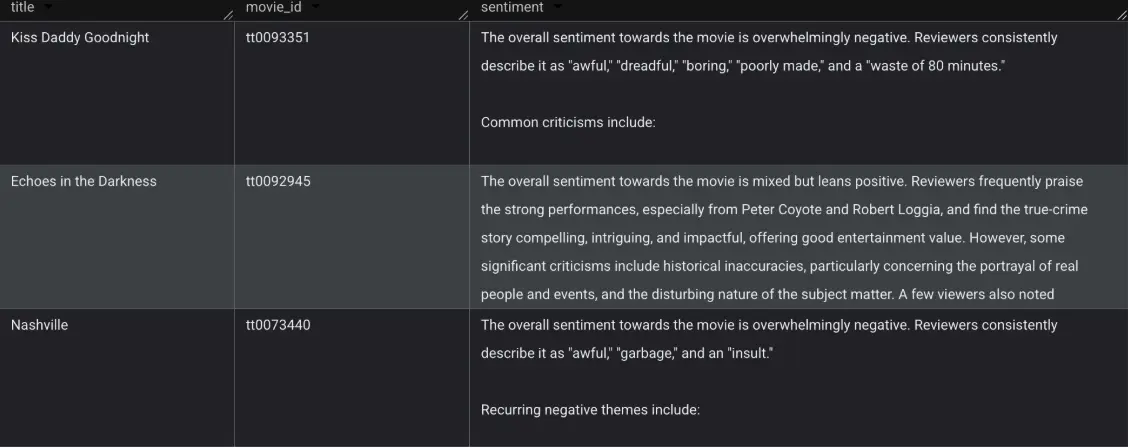
- AI.AGG function allows you to semantically aggregate unstructured input data directly based on natural language instructions.
SELECT
  title,
  movie_id,
  AI.AGG(
    review,
    'You will be given user-provided reviews of a movie. Summarize the overall sentiment towards the movie.'
  ) AS sentiment
FROM `bigquery-public-data.imdb.reviews`
WHERE movie_id IN ('tt0092945', 'tt0093351', 'tt0073440')
GROUP BY movie_id, title
ORDER BY movie_id DESC
Dataform
No further release for Dataform.
Data Studio

Small change to chart configuration
For a lot of charts (Area, Bar, Column, …), the setting to limit the number of series is now part of the setup tab.
Additionally, the setting “Group Others” got renamed to “Group the rest as ‘Others’”, to combine the remaining series to the group “Others”.
Google Analytics
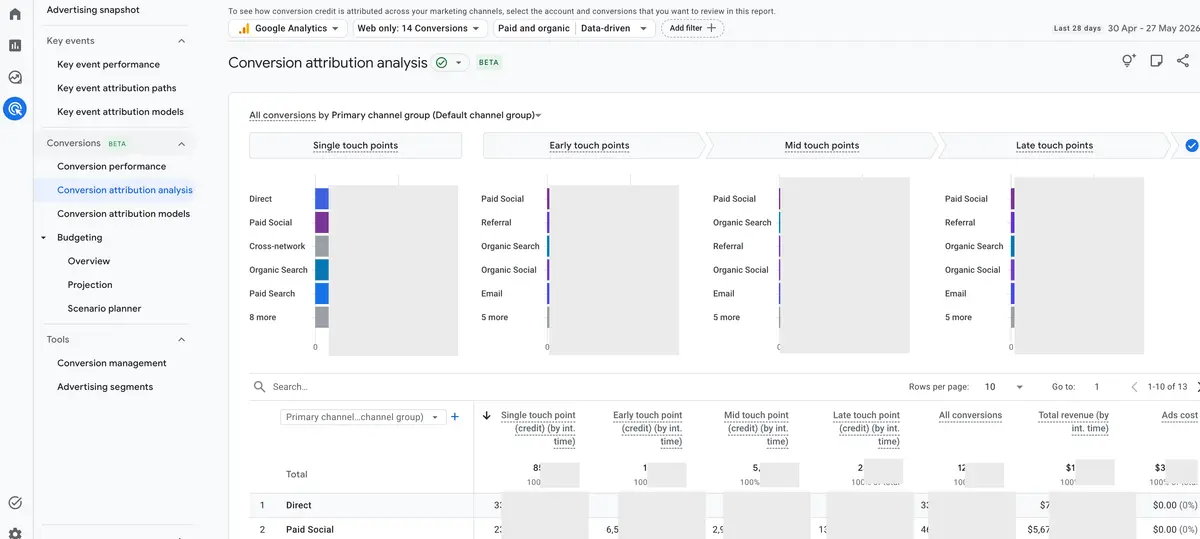
Cross-Channel conversions in Data API
Google Analytics has expanded its Data API to support programmatic access to cross-channel conversion data. Developers can now directly query and extract the information that populates the GA4 "Conversion performance" report via the runReport method.
More information can be found here.
New AI Channel Group
There is a new dedicated channel for measuring and analyzing incoming traffic from popular AI assistants such as ChatGPT, Gemini, and Claude. This reporting capability allows you to monitor the impact of generative AI on your website traffic and compare it to traditional acquisition channels like organic search.
- Default Channel Group = "AI Assistant"
- medium = "ai-assistant" (when referrer matches a known AI assistant)
- campaign name = "(ai-assistant)" (when referrer matches a known AI assistant)
Please note that this feature appears to be rolling out gradually, as we cannot currently find these new values in any of our GA4 properties.
More information can be found here.
Google Tag Manager
Google Tag integration for Akamai and Fastly
Google Tag Manager now offers a direct and simplified integration of the Google tag gateway for advertisers using Akamai or Fastly as their Content Delivery Network (CDN). You can authorize Google directly within the Google tag interface. The system then automatically detects your CDN zones and independently injects the necessary routing rules, first-party measurement paths, and geolocation headers.
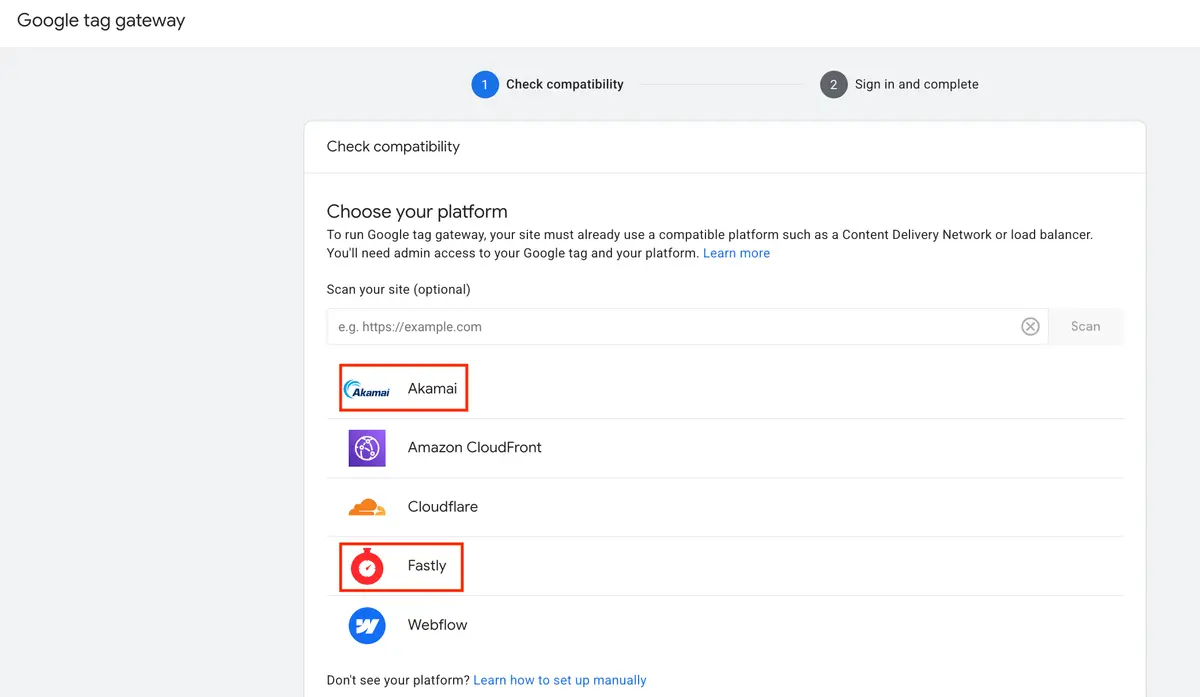
A guide can be found here for Akamai and here for Fastly.
Further Links
This post is part of the Google Data Analytics series from datadice and explains to you every month the newest features in BigQuery, Data Studio, Google Analytics, and Google Tag Manager.
Check out our LinkedIn account to get insights into our daily working life and get important updates about BigQuery, Data Studio, and marketing analytics.
We also started with our own YouTube channel. We talk about important DWH, BigQuery, Data Studio, and many more topics. Check out the channel here.
If you want to learn more about how to use Google Data Studio and take it to the next level in combination with BigQuery, check our Udemy course here.
If you are looking for help to set up a modern and cost-efficient data warehouse or analytical dashboards, send us an email to hello@datadice.io, and we will schedule a call.