In this blog post, I want to summarize the new releases from the Google tools, that we use daily in datadice. Therefore I want to give an overview of the new features of BigQuery, Dataform, Looker Studio, Google Analytics and Google Tag Manager. Furthermore, I will focus on the releases that I consider to be the most important ones and I will also name some other changes that were made.
If you want to take a closer look, here you can find the Release Notes from BigQuery, Dataform, Looker Studio, Google Analytics & Google Tag Manager.
BigQuery
Short query optimised mode
An interesting new feature, where some more investigation time and hands-on experience is needed, but I can give you already the idea behind the short query optimised mode.
This is a new mode you can use when you execute a query in BigQuery. In the SQL Editor you can select it here:
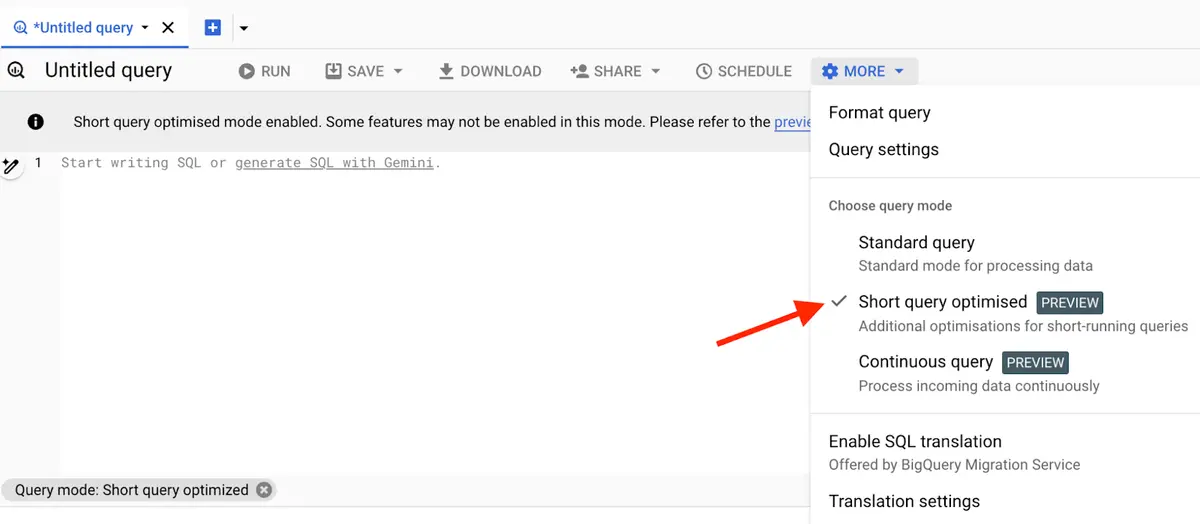 Selecting the "short query optimized" mode
When you have a query which is not reading and transforming a lot of data, this mode is quicker in executing the query and showing the result. When the query is “small enough”, BigQuery does not create a job.
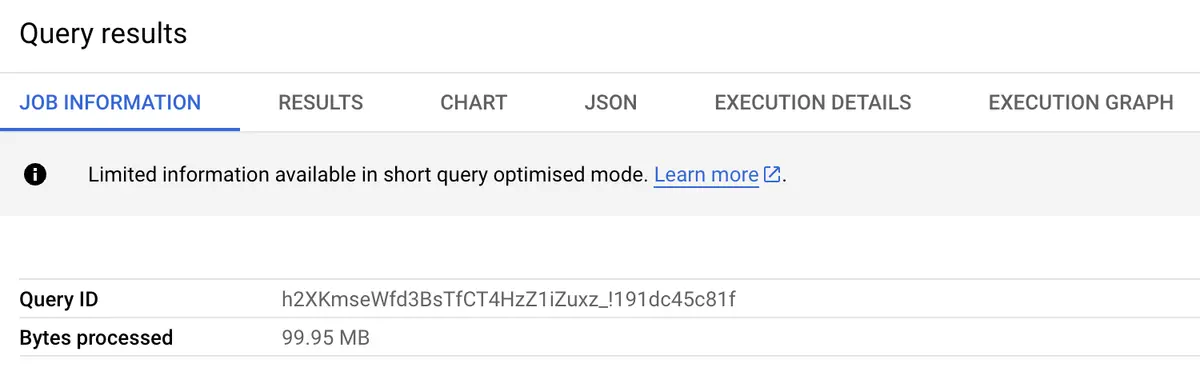 Result of Short Query mode execution
If the query is too big, BigQuery creates a job for it. So far there is no information from Google what is small and what is big.
This mode can be an interesting functionality, when you need quick updates on small chunks of data. A use case could be, to model last incoming real-time data from the last X seconds and add them to the final table.
Here a quick visualization of these 2 modes:
 Standard Query mode
 Short Query optimised mode
New JSON function
A really nice new feature, when you are handling with a lot of JSON data in BigQuery and especially if you have changing keys in the data.
With the function “JSON_KEYS” you can get all keys of the JSON value.
Let us start with an easy example:
SELECT JSON_KEYS(JSON '{"a": {"b":1}}', 1) AS json_keys
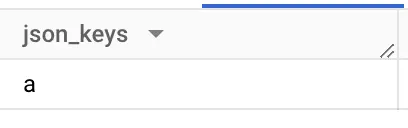 Formats in bin calculated field
New list control sorting
It’s a small but nice update. In drop-down list and fix-sized list filters, you can now sort the filter values by any metric of the datasource and not just by the selected fields.
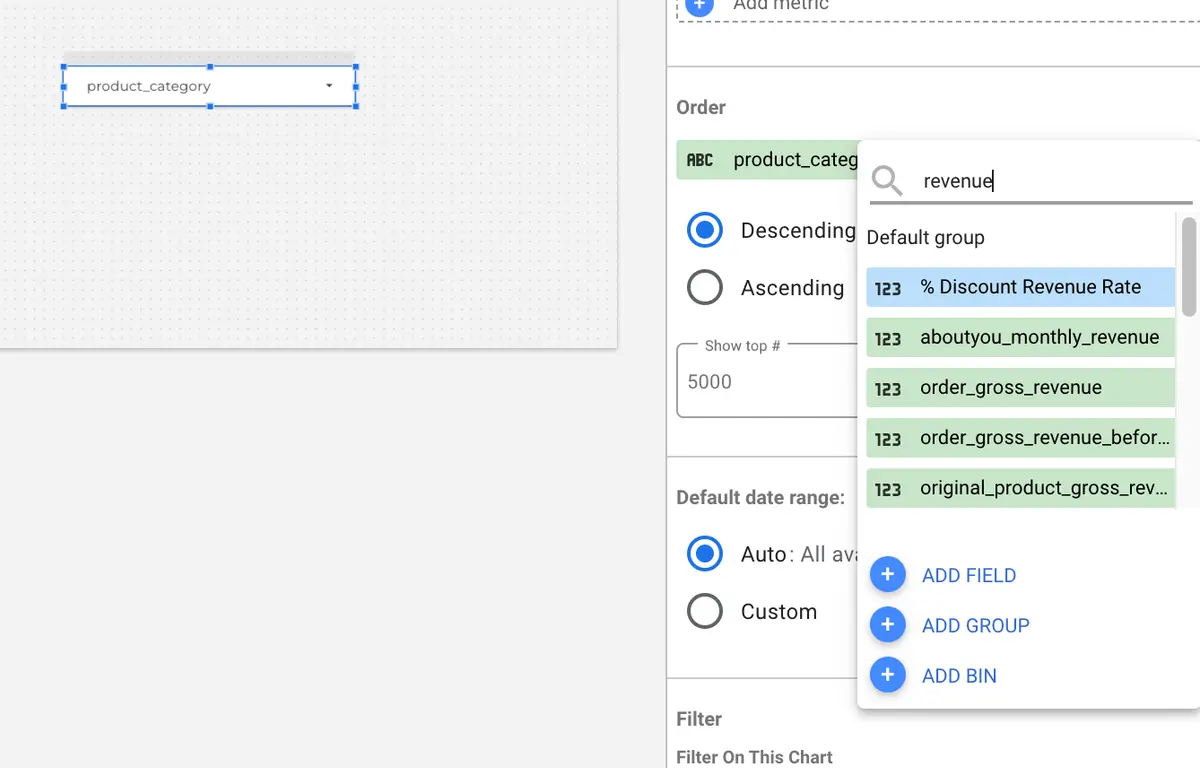 Choosing the sorting value
Google Analytics
Changed session_start firing
Google Analytics 4 had trouble with the reliability of the session_start event firing. Google made the following change now:
- When your property is linked to the Google Ad Manager and you use the send_pay_view=false configuration, the firing of the session_start event is improved
The time will tell if there will be an improvement in the session data.
Deep links recommendation
Just a quick side info:
When you are tracking an app, Google Analytics will observe your deep links over time. If some of these links are broken, a recommendation is shown with further information and possibilities to fix the issue to increase conversions and engagement.
Google Tag Manager
New Consent setting
An update that is not active for me so far. Maybe it depends on the region.
In your Google Tag Settings (Home >Tab “Google Tags” > Click on the desired tag) it is now possible to override the consent mode. This means you can override the consent settings from your website code and set the consent by default for the selected regions to be denied.
To see this option, you need to choose in the menu “Manage default consent settings for data collection” the option “No. Do not automatically mark this data as consented
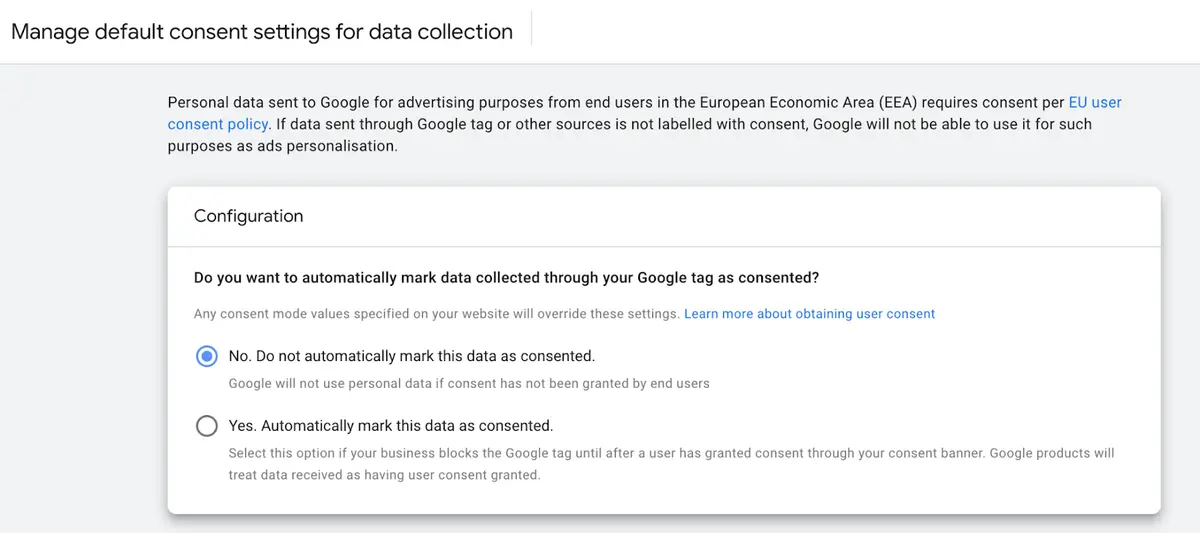
More detailed information can be found here.
Upcoming datadice blog posts for this month
- Y42 V3 Introduction - Coming Soon
Further Links
This post is part of the Google Data Analytics series from datadice and explains to you every month the newest features in BigQuery, Data Studio, Google Analytics and Google Tag Manager.
Follow us on LinkedIn for insights into our daily work and important updates on BigQuery, Data Studio, and marketing analytics.
Subscribe to our YouTube channel for discussions on Data Warehouse, BigQuery, Looker Studio, and Google Tag Manager.
If you are interested in learning BigQuery from scratch, get access to our free BigQuery Course.
Elevate your skills with Google Data Studio and BigQuery by enrolling in our Udemy course.
Need help setting up a modern, cost-efficient data warehouse or analytical dashboard? Email us at hello@datadice.io to schedule a call.