In this blog post, I want to summarize the new releases from the Google tools, that we use daily in datadice. Therefore I want to give an overview of the new features of BigQuery, Dataform, Looker Studio, Google Analytics and Google Tag Manager. Furthermore, I will focus on the releases that I consider to be the most important ones and I will also name some other changes that were made.
If you want to take a closer look, here you can find the Release Notes from BigQuery, Dataform, Looker Studio, Google Analytics & Google Tag Manager.
BigQuery
Data Preparation with Gemini
BigQuery offers a new resource. Inside the project data, you see now the part “Data Preparation”.
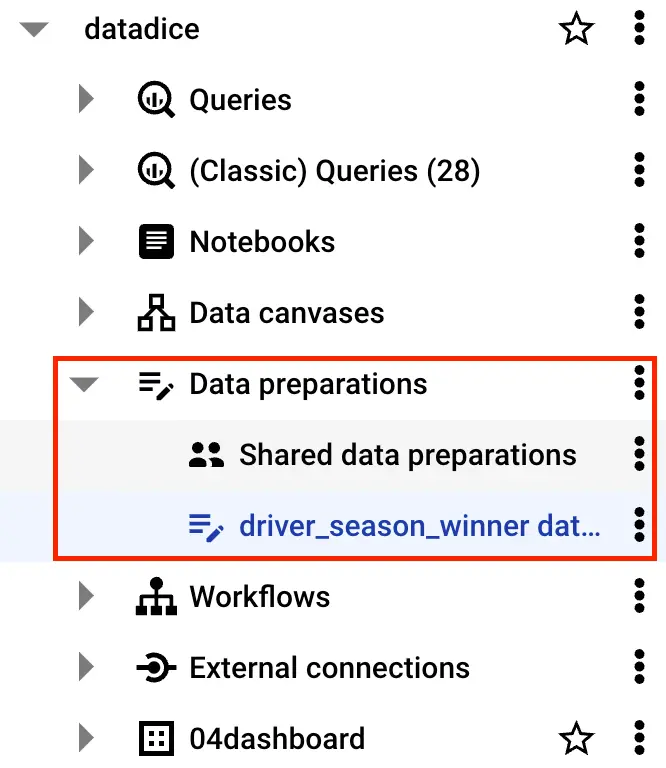
The data preparation is a tool to analyze data and gives recommendations, coming from Gemini, about possible steps to clean, transform, and enrich data.

At first, you need to find the desired table by typing in the name of the table or trying to explain which data you are looking for.
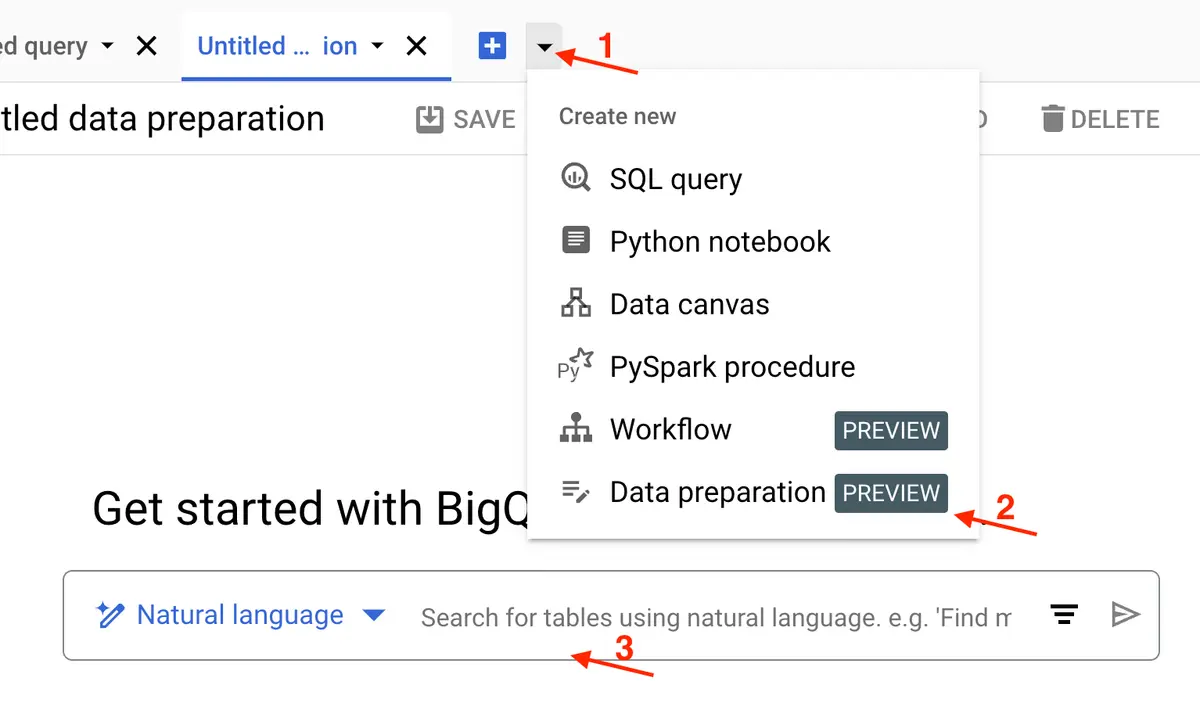
Then you get a list of potential tables and you need to click on the desired table. Then it loads the content of the table and it shows you the content of the table and on the right side ideas for data transformation.
The first recommendations are especially for cleaning certain columns like:
- Just take rows where column x has just letters inside
- Change the values of column x to lowercase
- Filtering rows when column x has the value NULL
Before you apply you can also preview the changes and make adjustments to the code yourself.
By that, you can clean up the data step by step. Furthermore, you can add joins to your model and set a destination table.
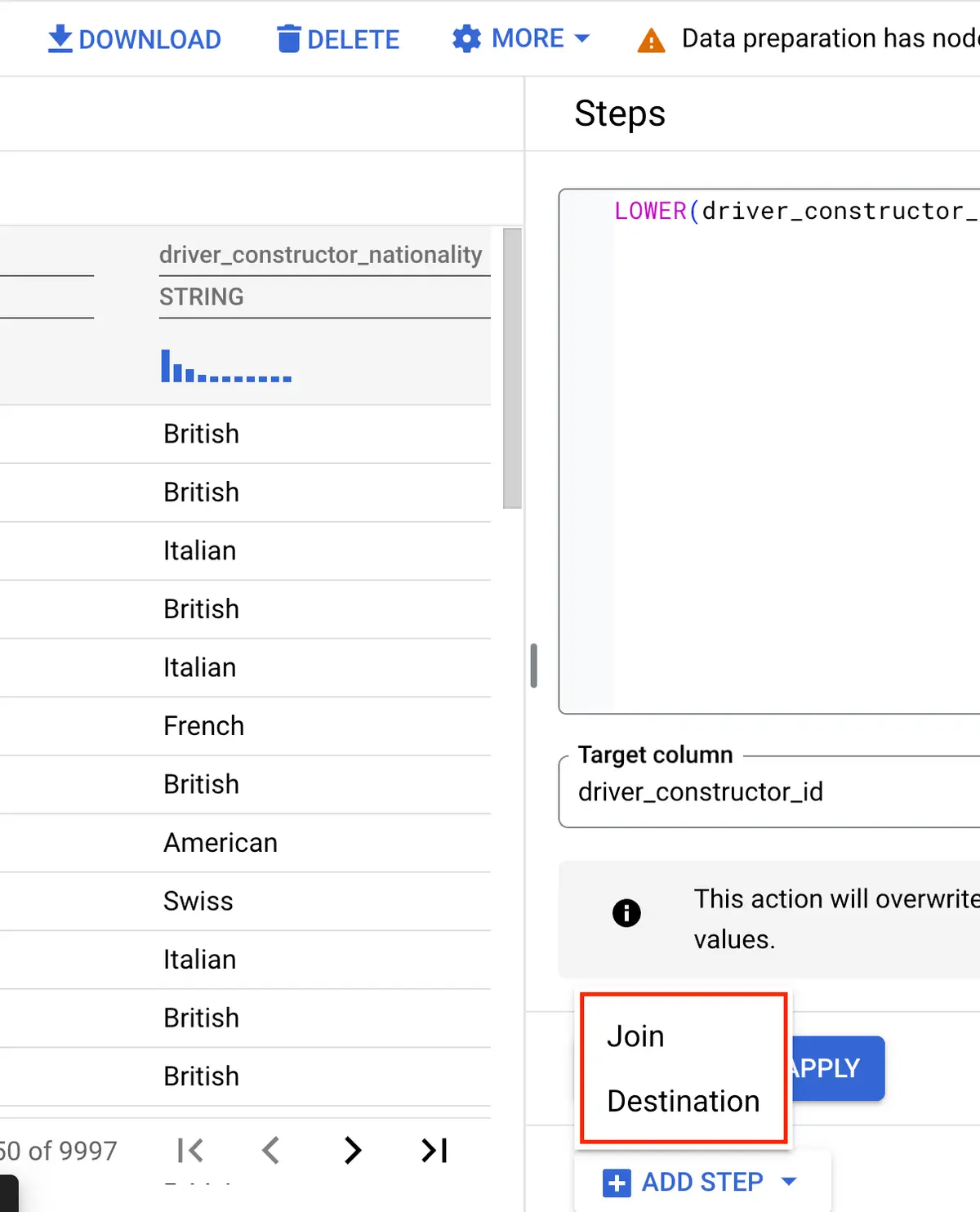
A really promising tool, but a lot more research is needed to evaluate how useful it is and how good it will be in the future.
Using Pipe Syntax
There is a completely new SQL Syntax available in BigQuery!
Or better to say, it will be available at a certain time. To get already access to this new feature, you need to fill out this form and then wait for the activation.
We already applied for it and will let you know when we have access.
You can already take a look here, at what this new syntax is about.
Migration Assessment for Oracle
Google supports you already for many systems if you want to migrate your existing Data Warehouse infrastructure to BigQuery. Google wrote already a comprehensive migration documentation for:
- Teradata
- Amazon Redshift
- Apache Hive
- Snowflake
And now the same information is also available for the Oracle Database.
Dataform
No further release for Dataform.
Looker Studio
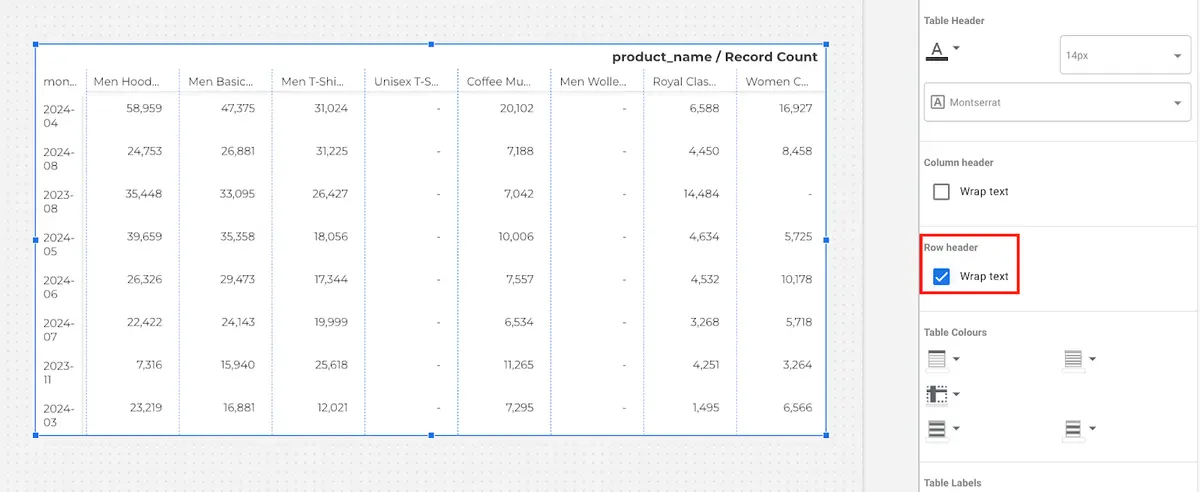
Text Wrapping in Pivot table headers
You can now wrap the text in the row header of a pivot table. Before it was just possible to wrap the text column header.
Google Analytics
Benchmarking metrics
You can compare certain metrics in the given charts with the performance of other accounts in the same “peer group”. A peer group is a group of accounts, which share the same kind of business e.g. Selling Event Tickets.
After activation, you see your performance in the specific metric in a shaded area and in a dotted line the average performance of the peer group.
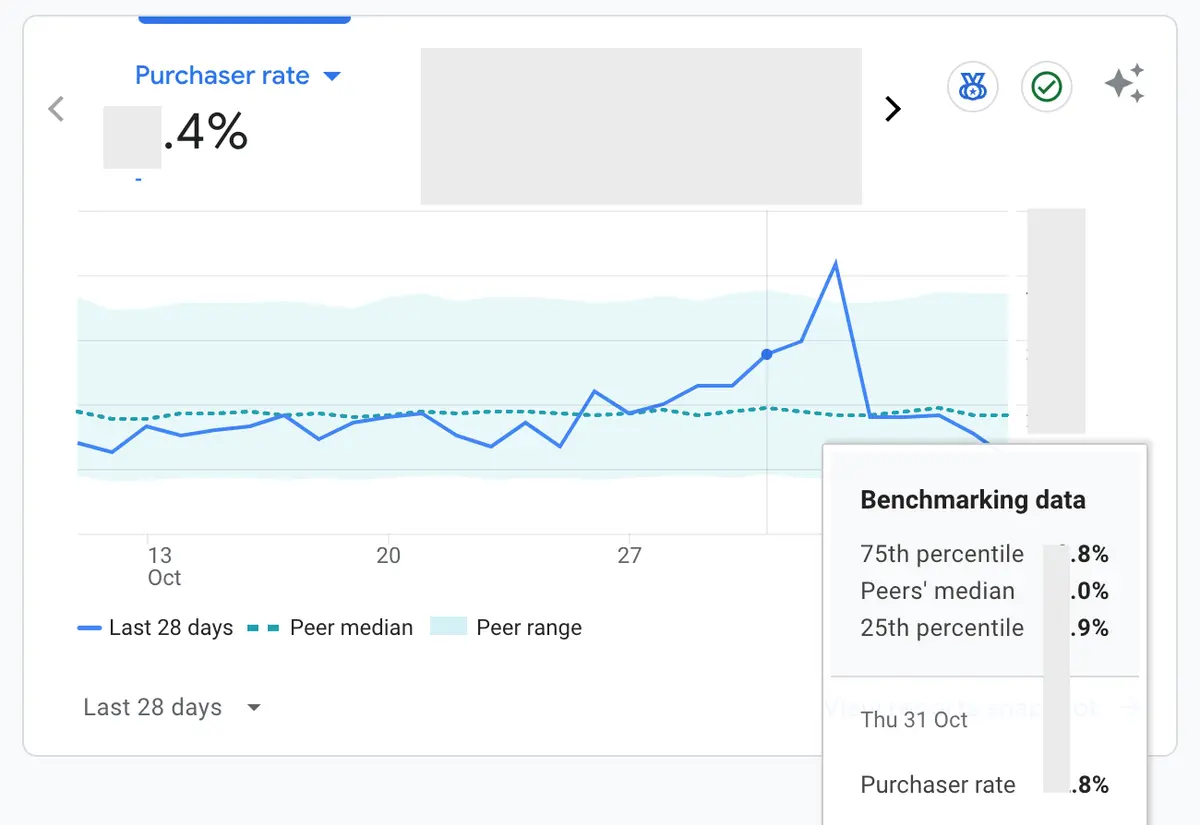
Google made a nice short video, to show how it works.
New Fields in BigQuery Export
Google enhanced the BigQuery export already a lot of times in the last months and they did it again!
They have now added the missing session source fields (like cross channel) to the export, so that you have the same selection possibility in BigQuery then in the Analytis UI.
To get a full overview of the available fields, you can take a look here.
Saving Segments
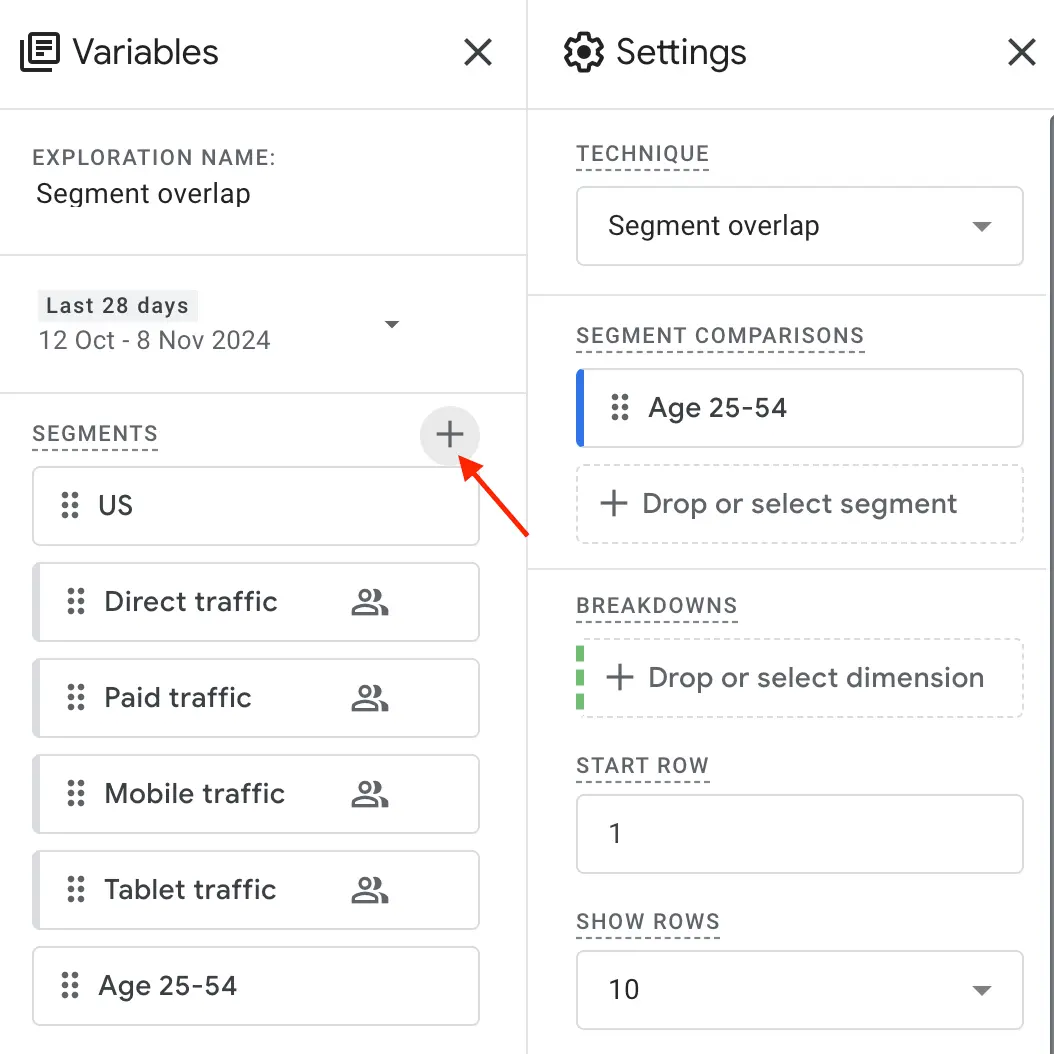
You can create Segments in Google Analytics to group users based on certain criteria. One problem was that every user needed to create his segments and there was no option to share or save the segments.
For Accounts with Editor or more rights, it is now possible to save segments on the property level.
To do that:
- go to an exploration
- click on the “+” sign next to segments.
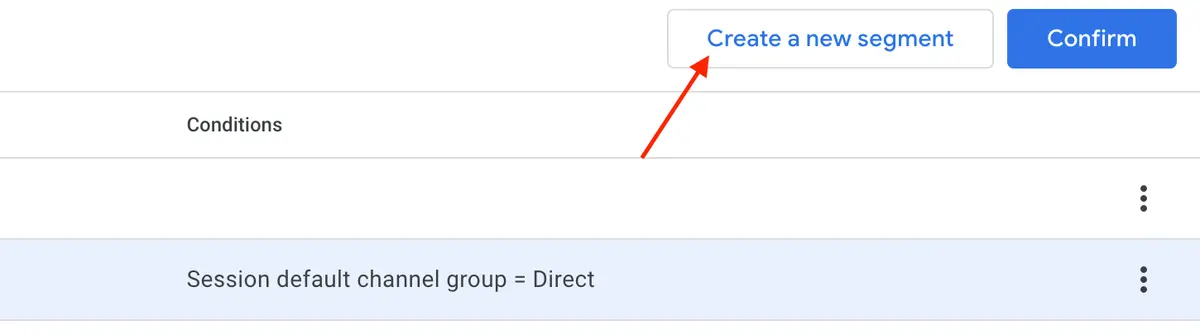
- choose one of the segments
- Set up the conditions
- click on “Save to property”
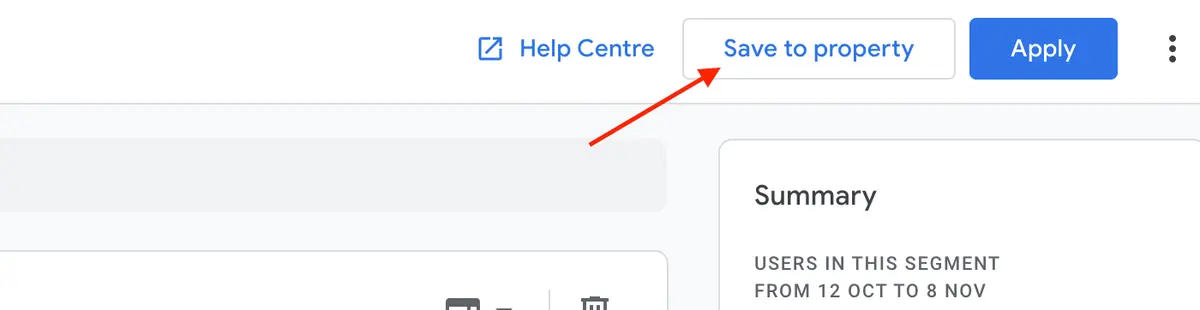
These saved segments can be used by anyone who has access to the property.
In the “Admin > Segments” section you can then also delete segments that are not needed anymore.
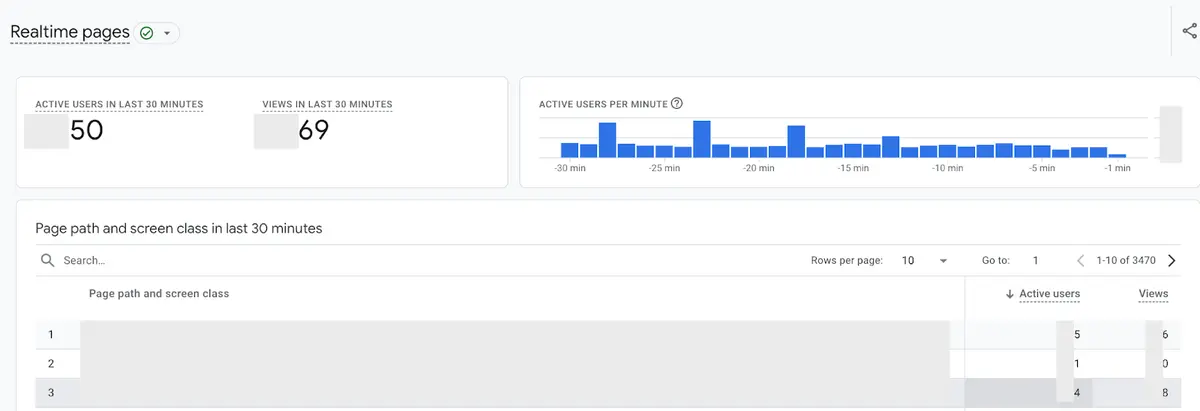
Realtime pages report
There is a new default report available.
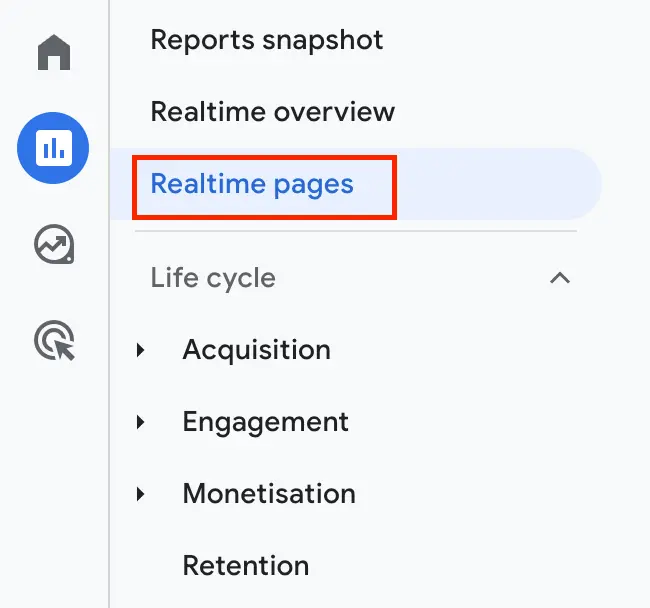
It is a second real-time report, to analyze which pages currently have the most traffic and have the most active users and views.
Google Tag Manager
Tag Diagnostics
We already showed you the Tag Diagnostic tool in a former blog post. This tool got 2 new checks.
“Tag has stopped sending data”
- The Google Tag did not send any data in the last 48hours
- Check that the tag is installed on the website
“Tag found too low on page”
- The GTM Script on the website is too far down-positioned in the code, which can lead to problems
- Put the Tracking code at the beginning of the Head Section in the website code
Additionally, there is the new tag quality status “No recent data” and it is shown when the tag has not been detected in the last 48 hours.
Upcoming datadice blog posts for this month
- Y42 V3 Introduction - Coming Soon
- BigQuery Workflows - Coming Soon
Further Links
This post is part of the Google Data Analytics series from datadice and explains to you every month the newest features in BigQuery, Data Studio, Google Analytics and Google Tag Manager.
Check out our LinkedIn account, to get insights into our daily working life and get important updates about BigQuery, Data Studio and marketing analytics.
We also started with our own YouTube channel. We talk about important DWH, BigQuery, Data Studio and many more topics. Check out the channel here.
If you want to learn more about how to use Google Data Studio and take it to the next level in combination with BigQuery, check our Udemy course here.
If you are looking for help to set up a modern and cost-efficient data warehouse or analytical dashboards, send us an email to hello@datadice.io and we will schedule a call.